
Search…
Search…
Select
Live in Codebase
A select component in UI design is a user interface element that allows users to choose one option from a dropdown list of predefined choices.
AA
WCAG 2.1 accessibility compliant
Select
Live in Codebase
A select component in UI design is a user interface element that allows users to choose one option from a dropdown list of predefined choices.
AA
WCAG 2.1 accessibility compliant
Select
A select component in UI design is a user interface element that allows users to choose one option from a dropdown list of predefined choices.
View Figma Designs

View Figma Designs
View Figma Designs
Select
Dropdown selection component.
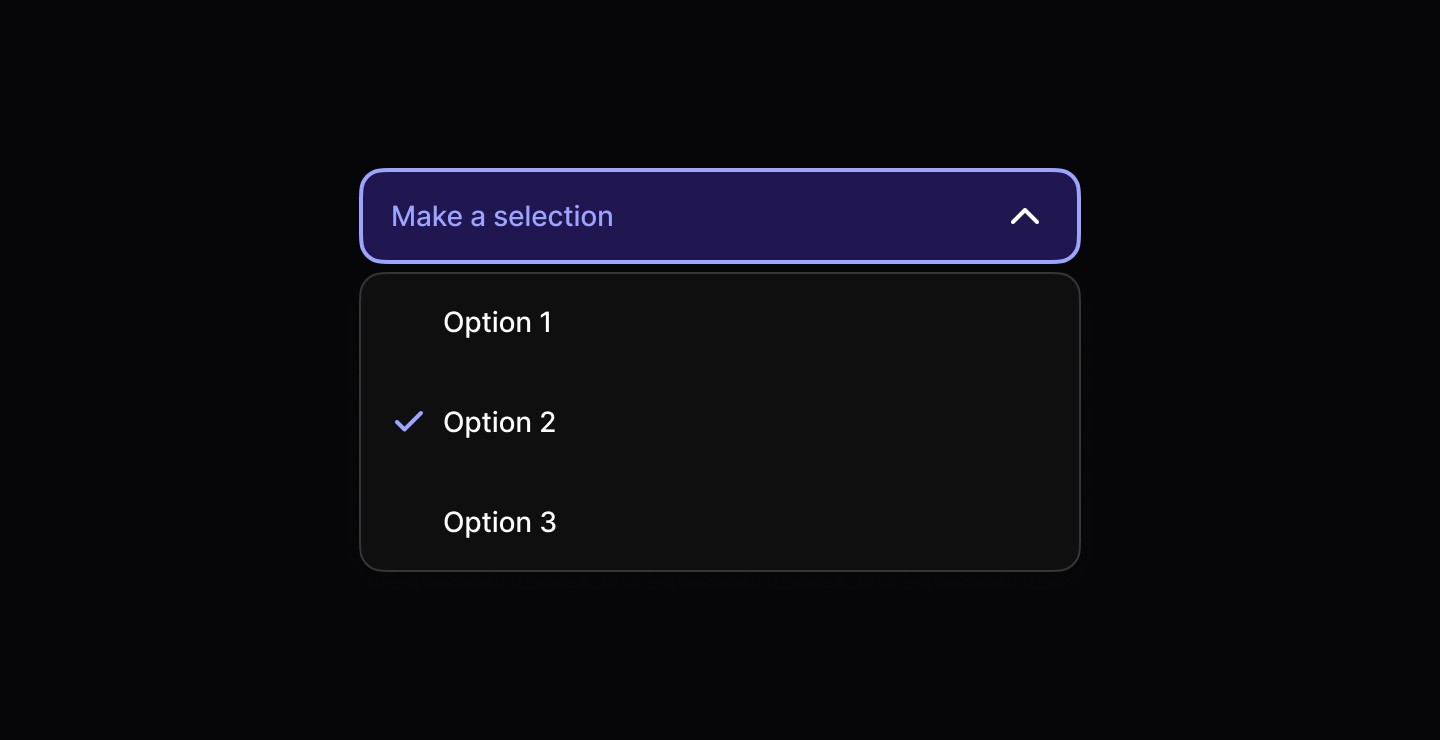
When to use | When not to use |
|---|---|
✅ Use to let users select a single option from a menu. | ⛔️ Don’t use a select when there are fewer than six options, prefer segmented controls or radio buttons if space allows. |
✅ Apply when there are more than six options available. | |
✅ Use when the number of options may vary or be unknown. |
Anatomy
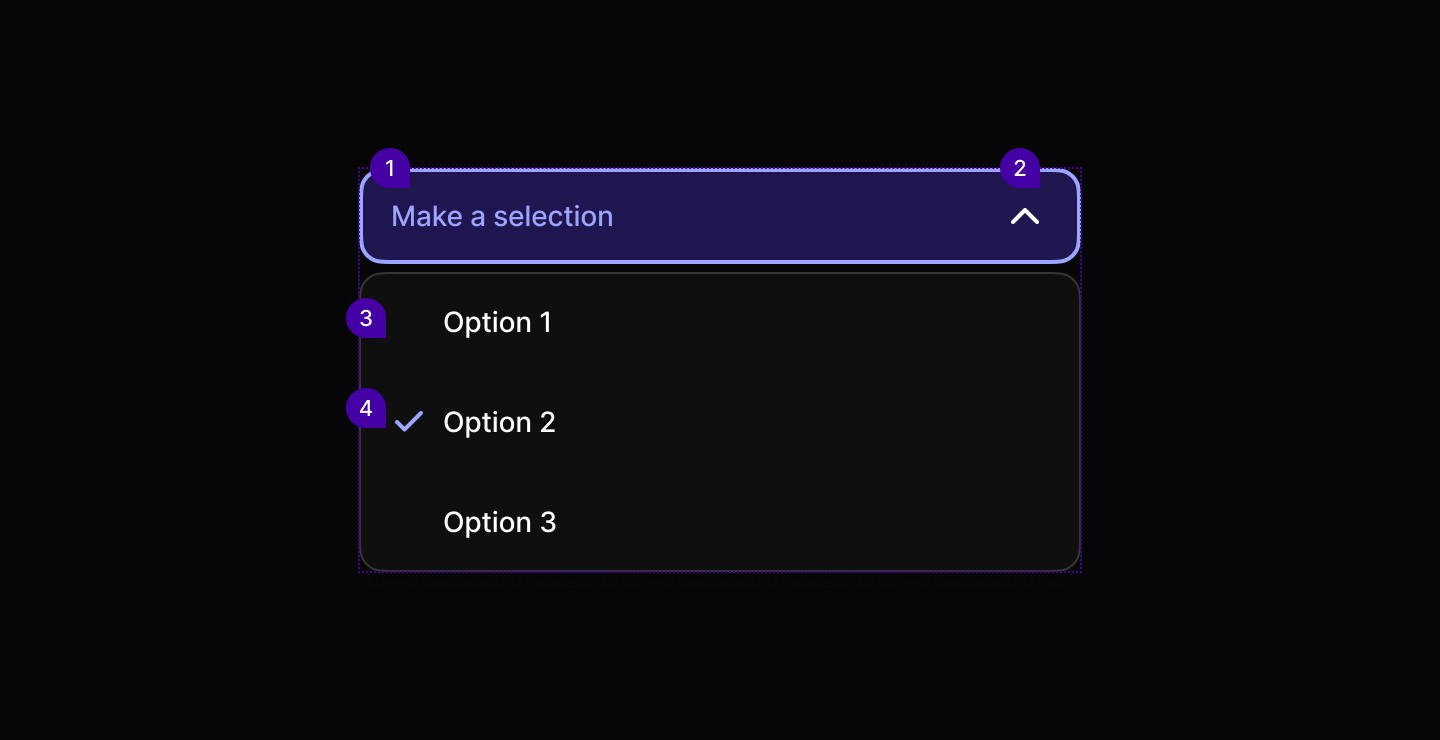
Element | Description |
|---|---|
| Text |
| Lucide Icon chevron |
| Dropdown component |
| Lucide Icon check |
Variants

Spacing
Select components use a layered spacing system with different tokens for triggers, content areas, and menu items. The component provides comfortable touch targets while maintaining visual hierarchy.
|
|
|
|
|
|

Select
Dropdown selection component.
When to use | When not to use |
|---|---|
✅ Use to let users select a single option from a menu. | ⛔️ Don’t use a select when there are fewer than six options, prefer segmented controls or radio buttons if space allows. |
✅ Apply when there are more than six options available. | |
✅ Use when the number of options may vary or be unknown. |
Anatomy
Element | Description |
|---|---|
| Text |
| Lucide Icon chevron |
| Dropdown component |
| Lucide Icon check |
Variants
Spacing
Select components use a layered spacing system with different tokens for triggers, content areas, and menu items. The component provides comfortable touch targets while maintaining visual hierarchy.
|
|
|
|
|
|
Select
Dropdown selection component.
When to use | When not to use |
|---|---|
✅ Use to let users select a single option from a menu. | ⛔️ Don’t use a select when there are fewer than six options, prefer segmented controls or radio buttons if space allows. |
✅ Apply when there are more than six options available. | |
✅ Use when the number of options may vary or be unknown. |
Anatomy
Element | Description |
|---|---|
| Text |
| Lucide Icon chevron |
| Dropdown component |
| Lucide Icon check |
Variants
Spacing
Select components use a layered spacing system with different tokens for triggers, content areas, and menu items. The component provides comfortable touch targets while maintaining visual hierarchy.
|
|
|
|
|
|
Continue reading
Get in touch
Got a project in mind? Let’s chat. I’m always keen to hear about new ideas, collaborations, or challenges you’re looking to solve. Drop me a message and we can explore how to bring your vision to life together.
Get in touch
Got a project in mind? Let’s chat. I’m always keen to hear about new ideas, collaborations, or challenges you’re looking to solve. Drop me a message and we can explore how to bring your vision to life together.
Get in touch
Got a project in mind? Let’s chat. I’m always keen to hear about new ideas, collaborations, or challenges you’re looking to solve. Drop me a message and we can explore how to bring your vision to life together.