
Search…
Search…
Skeleton
Live in Codebase
A skeleton UI is a loading placeholder that mimics the structure of a page or component before content appears. It shows grey or neutral blocks where text, images, or buttons will load, giving users a sense of layout and progress. This improves perceived performance and reduces frustration during data fetching or rendering delays.
AA
WCAG 2.1 accessibility compliant
Skeleton
Live in Codebase
A skeleton UI is a loading placeholder that mimics the structure of a page or component before content appears. It shows grey or neutral blocks where text, images, or buttons will load, giving users a sense of layout and progress. This improves perceived performance and reduces frustration during data fetching or rendering delays.
AA
WCAG 2.1 accessibility compliant
Skeleton
A skeleton UI is a loading placeholder that mimics the structure of a page or component before content appears. It shows grey or neutral blocks where text, images, or buttons will load, giving users a sense of layout and progress. This improves perceived performance and reduces frustration during data fetching or rendering delays.
View Figma Designs

View Figma Designs
View Figma Designs
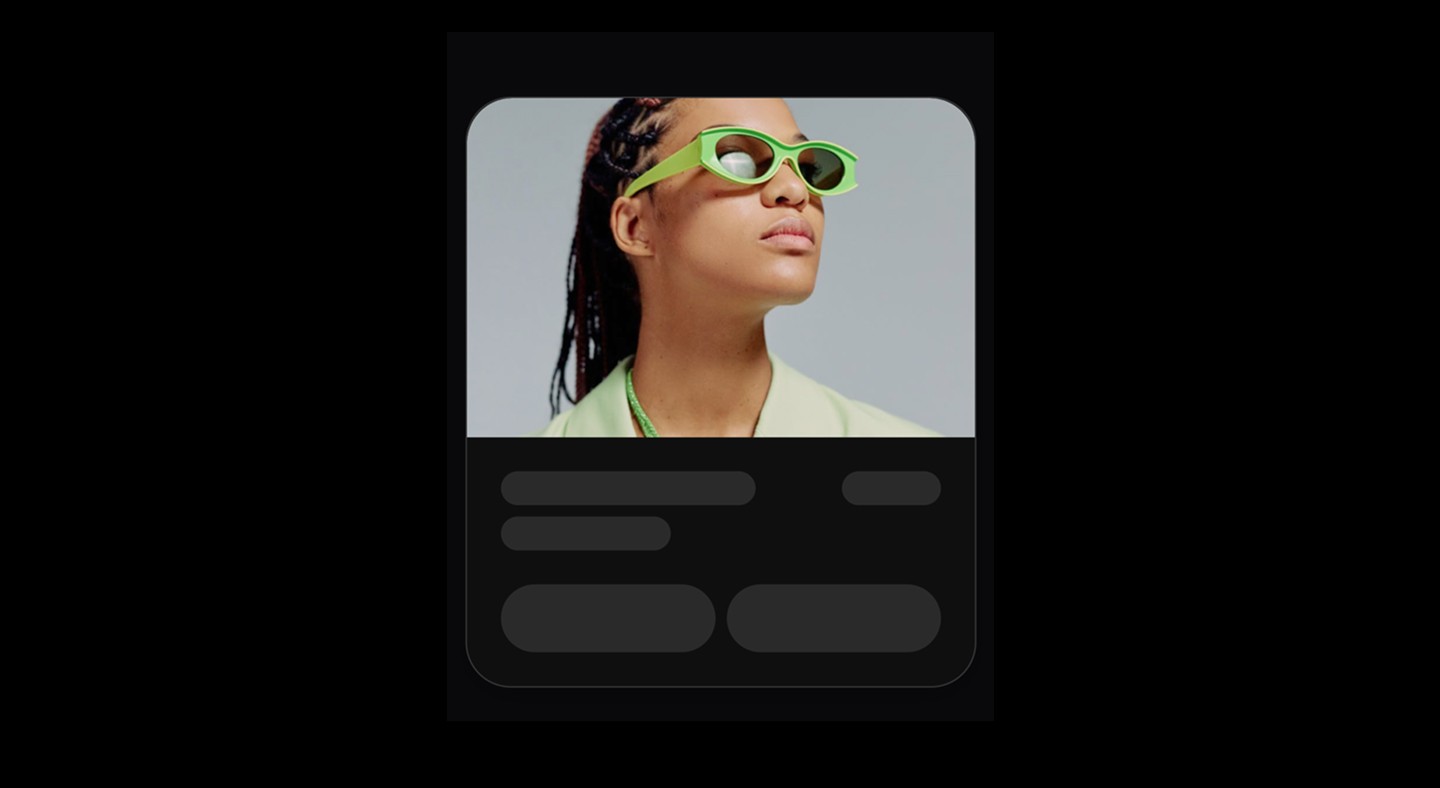
Loading placeholder that mimics content structure with animated opacity.
When to use | When not to use |
|---|---|
✅ Use the Skeleton component for dynamic content that loads asynchronously. | ⛔️ Don’t use Skeletons for static content that doesn’t change. |
✅ Provide a visual preview of the page layout while content is loading. | ⛔️ Avoid showing temporary placeholders that update again after the Skeleton disappears. |
✅ Mimic the real layout using multiple Skeleton components for accuracy. | |
✅ Apply |
Loading placeholder that mimics content structure with animated opacity.
When to use | When not to use |
|---|---|
✅ Use the Skeleton component for dynamic content that loads asynchronously. | ⛔️ Don’t use Skeletons for static content that doesn’t change. |
✅ Provide a visual preview of the page layout while content is loading. | ⛔️ Avoid showing temporary placeholders that update again after the Skeleton disappears. |
✅ Mimic the real layout using multiple Skeleton components for accuracy. | |
✅ Apply |
Loading placeholder that mimics content structure with animated opacity.
When to use | When not to use |
|---|---|
✅ Use the Skeleton component for dynamic content that loads asynchronously. | ⛔️ Don’t use Skeletons for static content that doesn’t change. |
✅ Provide a visual preview of the page layout while content is loading. | ⛔️ Avoid showing temporary placeholders that update again after the Skeleton disappears. |
✅ Mimic the real layout using multiple Skeleton components for accuracy. | |
✅ Apply |
Continue reading
Get in touch
Got a project in mind? Let’s chat. I’m always keen to hear about new ideas, collaborations, or challenges you’re looking to solve. Drop me a message and we can explore how to bring your vision to life together.
Get in touch
Got a project in mind? Let’s chat. I’m always keen to hear about new ideas, collaborations, or challenges you’re looking to solve. Drop me a message and we can explore how to bring your vision to life together.
Get in touch
Got a project in mind? Let’s chat. I’m always keen to hear about new ideas, collaborations, or challenges you’re looking to solve. Drop me a message and we can explore how to bring your vision to life together.