Search…
Search…
Navigation Menu
Live in Codebase
A navigation menu helps guiding users through key areas of an app or website. It should be intuitive, easy to scan, and structured around clear hierarchy.
AA
WCAG 2.1 accessibility compliant
Navigation Menu
Live in Codebase
A navigation menu helps guiding users through key areas of an app or website. It should be intuitive, easy to scan, and structured around clear hierarchy.
AA
WCAG 2.1 accessibility compliant
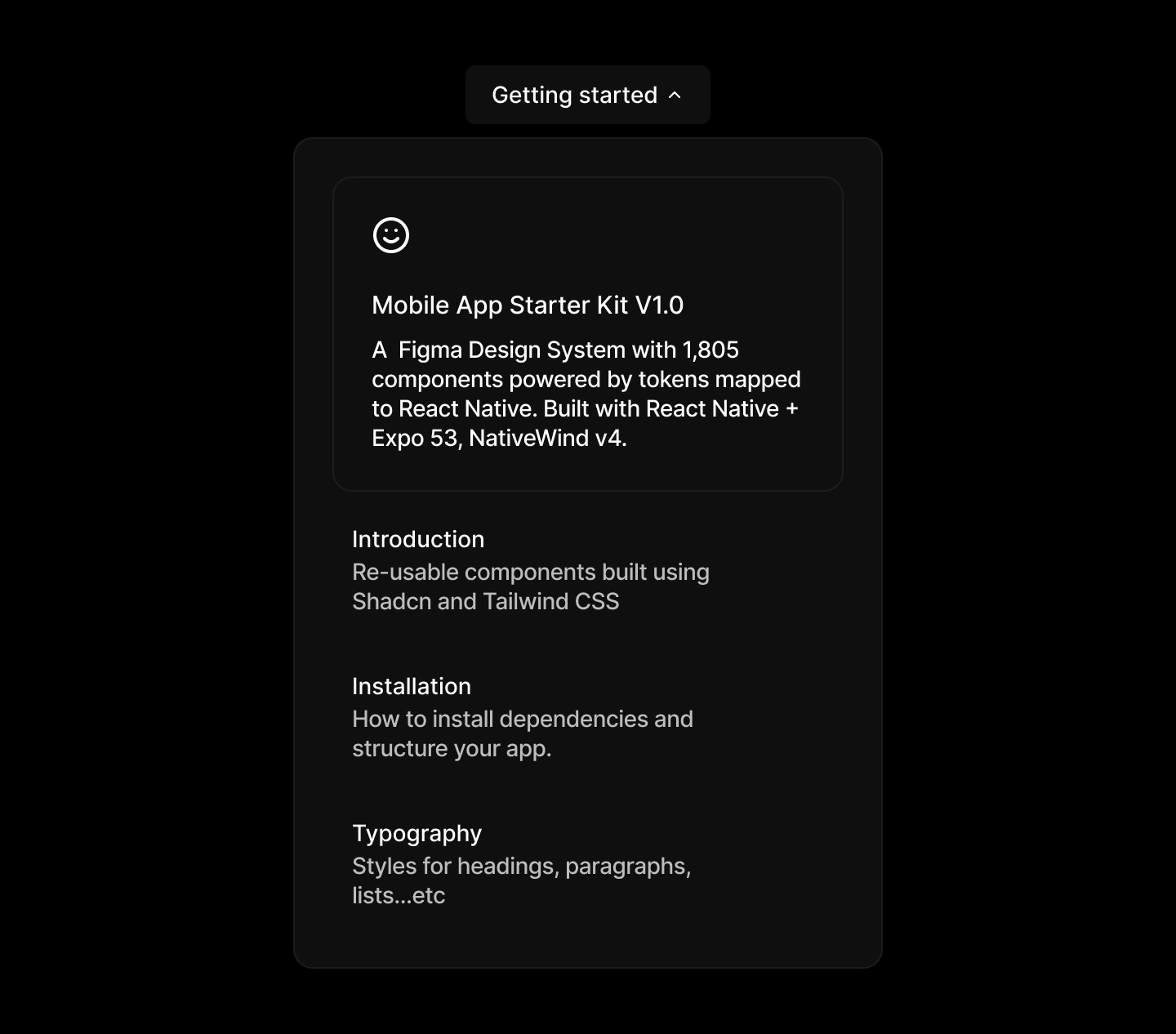
Navigation Menu
A navigation menu helps guiding users through key areas of an app or website. It should be intuitive, easy to scan, and structured around clear hierarchy.
View Figma Designs

View Figma Designs
View Figma Designs
When to use | When not to use |
|---|---|
✅ Use consistent variants and colour patterns to signal importance levels clearly. | ⛔️ Don’t make badges interactive, use the small button variant instead. |
✅ Use to indicate the current status of an item or action. | ⛔️ Don’t create custom alternatives to existing badge variants. |
✅ Use to highlight when something is “draft” or “new”. | ⛔️ Don’t use badges for labelling, categorising, or organising objects; use the tag component instead. |
Anatomy
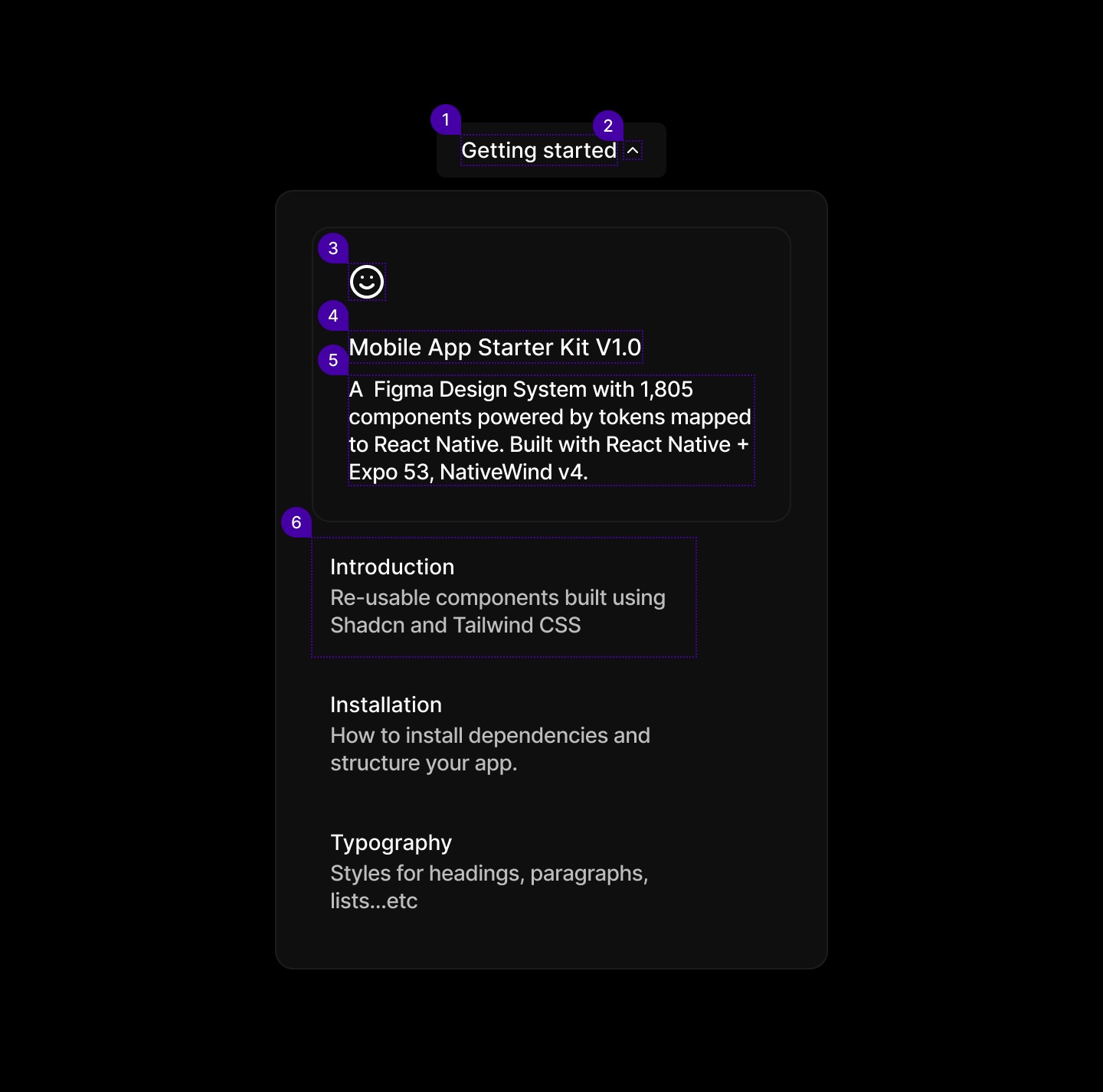
Element | Description |
|---|---|
| Text |
| Button Icon, Lucide Icon chevron up |
| Icon Lucide smile |
| Text |
| Text |
| Text |
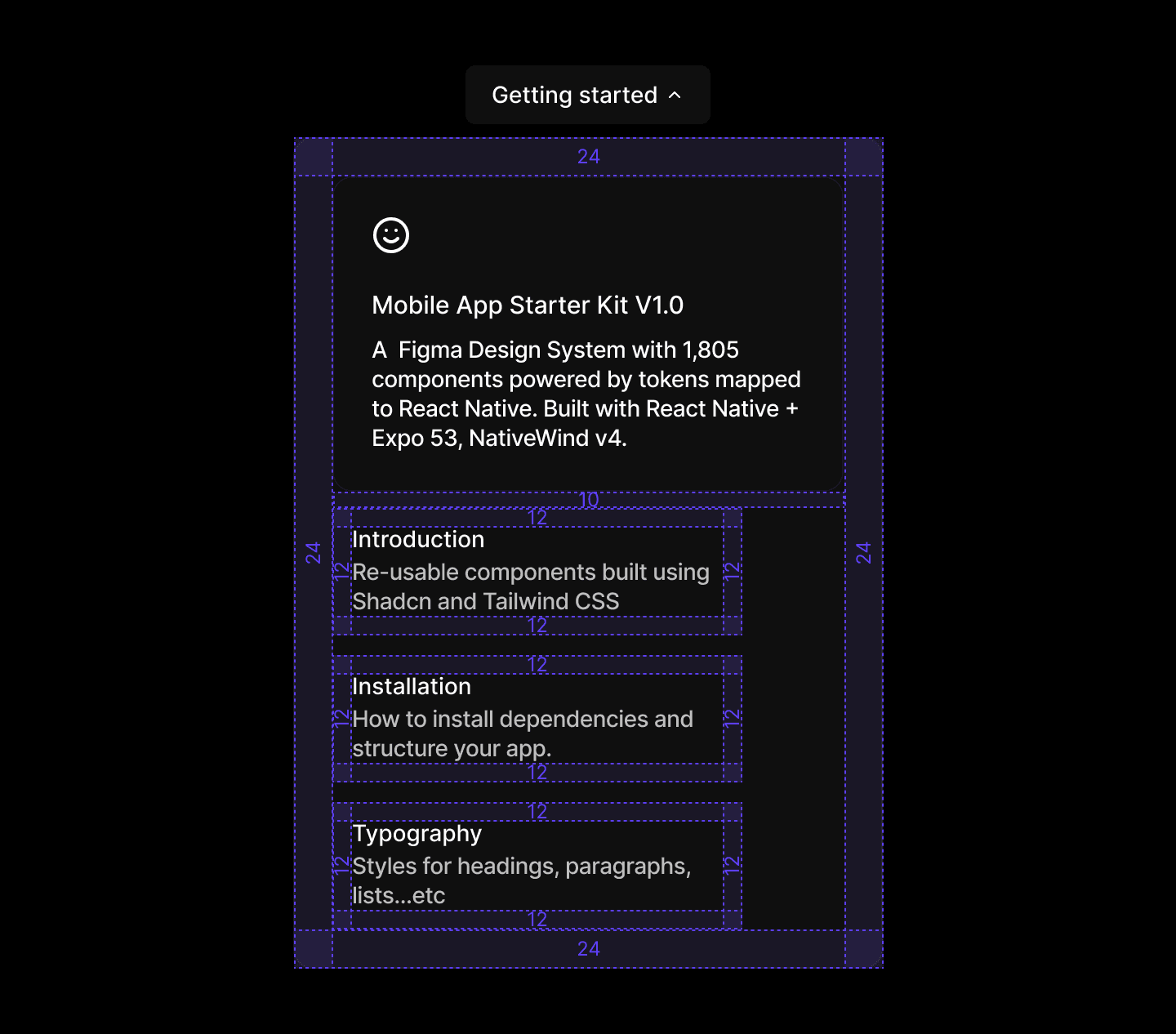
Spacing
When to use | When not to use |
|---|---|
✅ Use consistent variants and colour patterns to signal importance levels clearly. | ⛔️ Don’t make badges interactive, use the small button variant instead. |
✅ Use to indicate the current status of an item or action. | ⛔️ Don’t create custom alternatives to existing badge variants. |
✅ Use to highlight when something is “draft” or “new”. | ⛔️ Don’t use badges for labelling, categorising, or organising objects; use the tag component instead. |
Anatomy
Element | Description |
|---|---|
| Text |
| Button Icon, Lucide Icon chevron up |
| Icon Lucide smile |
| Text |
| Text |
| Text |
Spacing
When to use | When not to use |
|---|---|
✅ Use consistent variants and colour patterns to signal importance levels clearly. | ⛔️ Don’t make badges interactive, use the small button variant instead. |
✅ Use to indicate the current status of an item or action. | ⛔️ Don’t create custom alternatives to existing badge variants. |
✅ Use to highlight when something is “draft” or “new”. | ⛔️ Don’t use badges for labelling, categorising, or organising objects; use the tag component instead. |
Anatomy
Element | Description |
|---|---|
| Text |
| Button Icon, Lucide Icon chevron up |
| Icon Lucide smile |
| Text |
| Text |
| Text |
Spacing
Continue reading
Get in touch
Got a project in mind? Let’s chat. I’m always keen to hear about new ideas, collaborations, or challenges you’re looking to solve. Drop me a message and we can explore how to bring your vision to life together.
Get in touch
Got a project in mind? Let’s chat. I’m always keen to hear about new ideas, collaborations, or challenges you’re looking to solve. Drop me a message and we can explore how to bring your vision to life together.
Get in touch
Got a project in mind? Let’s chat. I’m always keen to hear about new ideas, collaborations, or challenges you’re looking to solve. Drop me a message and we can explore how to bring your vision to life together.