Search…
Search…
Card
Live in Codebase
The Card component groups related content and actions i nto a clear, scannable unit. By combining text, media, and interactions within a defined boundary, cards create hierarchy and focus, making information easier to browse and engage with across layouts and devices.
AA
WCAG 2.1 accessibility compliant
Card
Live in Codebase
The Card component groups related content and actions i nto a clear, scannable unit. By combining text, media, and interactions within a defined boundary, cards create hierarchy and focus, making information easier to browse and engage with across layouts and devices.
AA
WCAG 2.1 accessibility compliant
Card
The Card component groups related content and actions i nto a clear, scannable unit. By combining text, media, and interactions within a defined boundary, cards create hierarchy and focus, making information easier to browse and engage with across layouts and devices.
Figma Designs

Figma Designs
Figma Designs
When to use | When not to use |
|---|---|
✅ Use cards to group content and actions around a single topic. | ⛔️ Avoid nesting cards within other cards, use a divider instead to separate sections. |
✅ Wrap forms, such as a login form, inside a card for clarity. | ⛔️ Don’t use cards for drawing strong attention; they aren’t meant for alerts or highlights. |
✅ Always include a header when placing a Table component inside a card. | ⛔️ Don’t rely on cards to communicate important changes or conditions in the interface. |
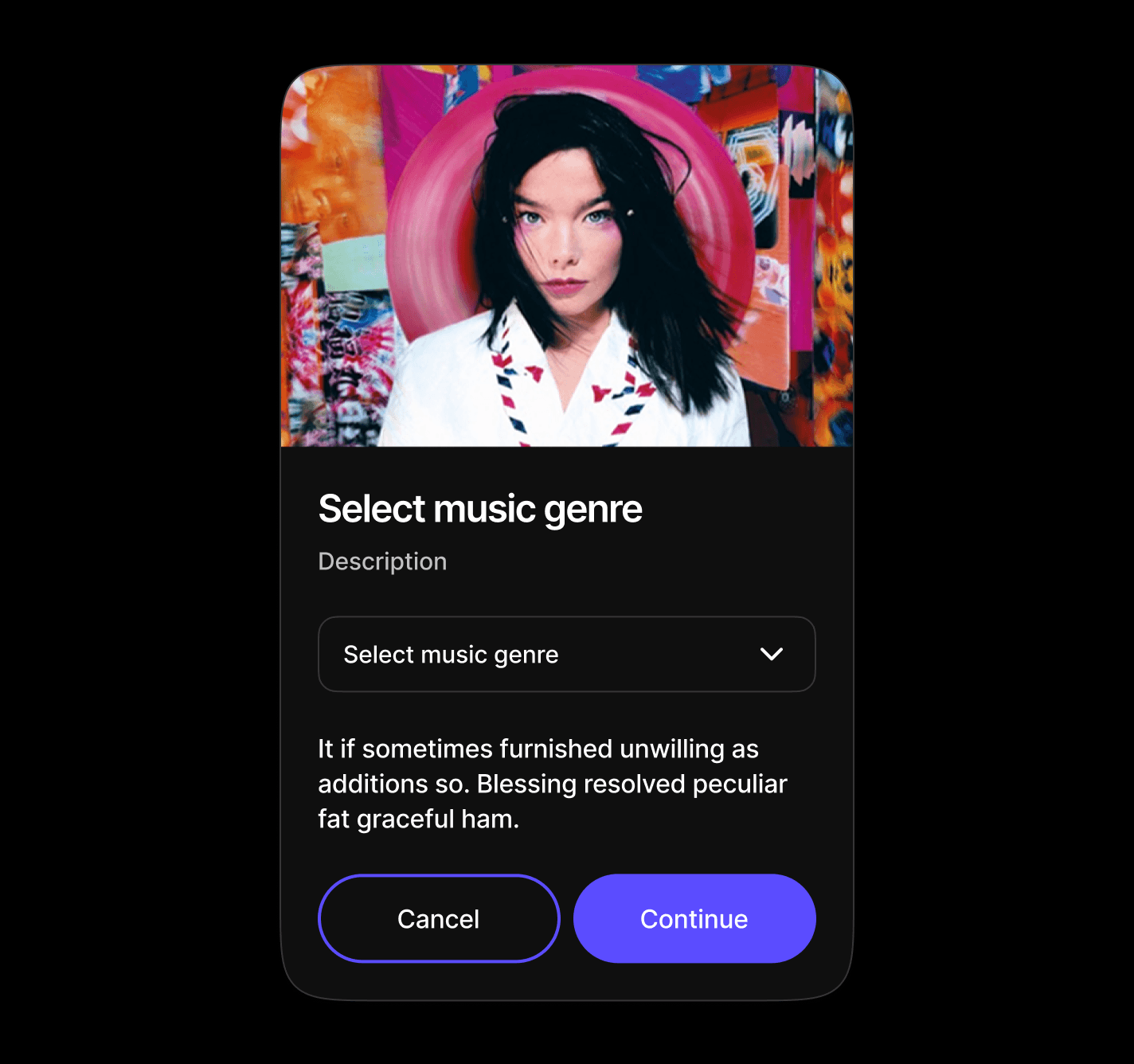
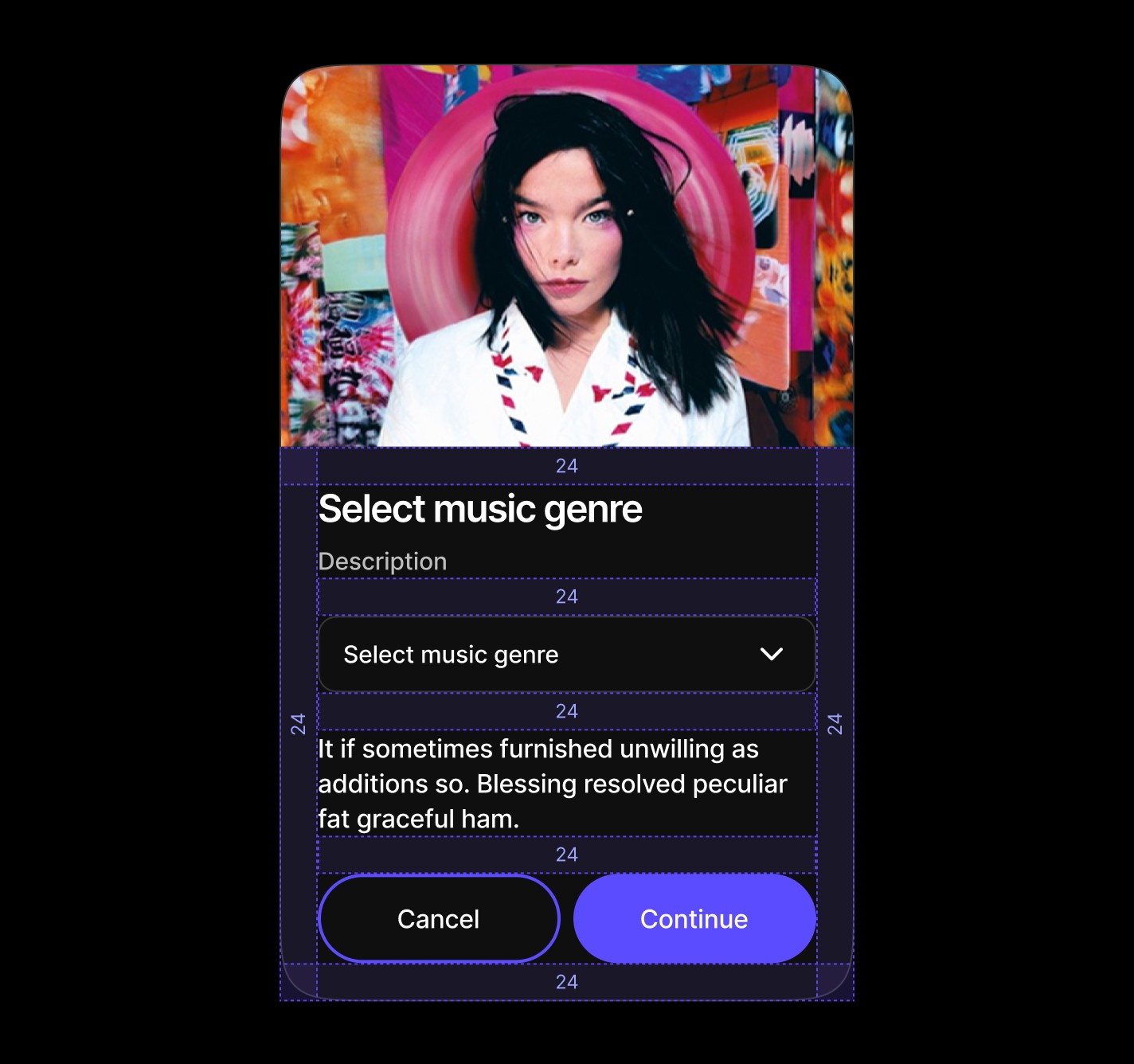
Select Card
Specialized forms centered around dropdown selections with supporting descriptive content. Perfect for preference settings, category selection, or configuration screens where users need context and explanation alongside their choices.
Anatomy
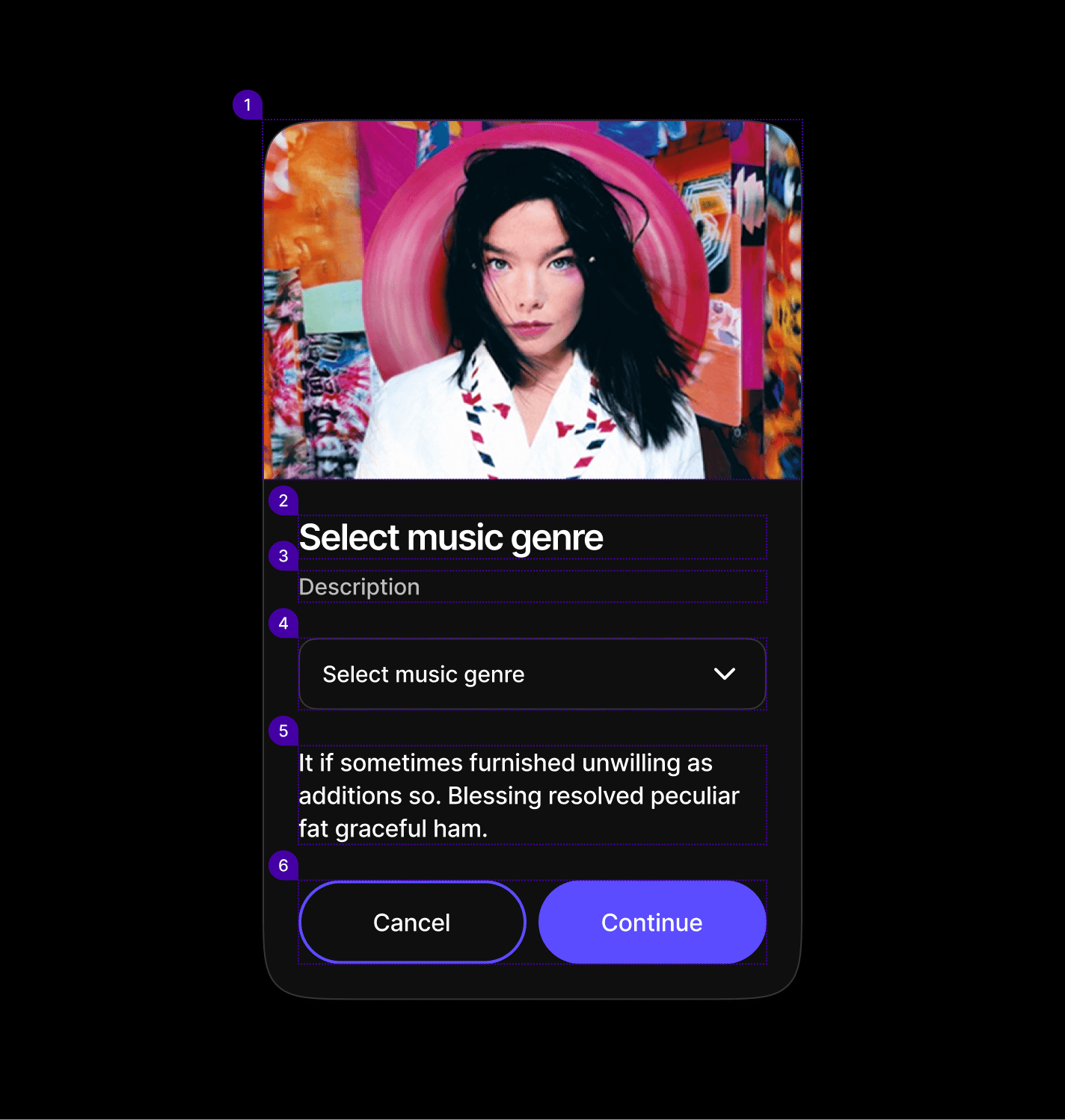
Element | Description |
|---|---|
| Card component Image |
| Card component title text |
| Text |
| Select component |
| Text |
| Secondary / Primary button |
Spacing
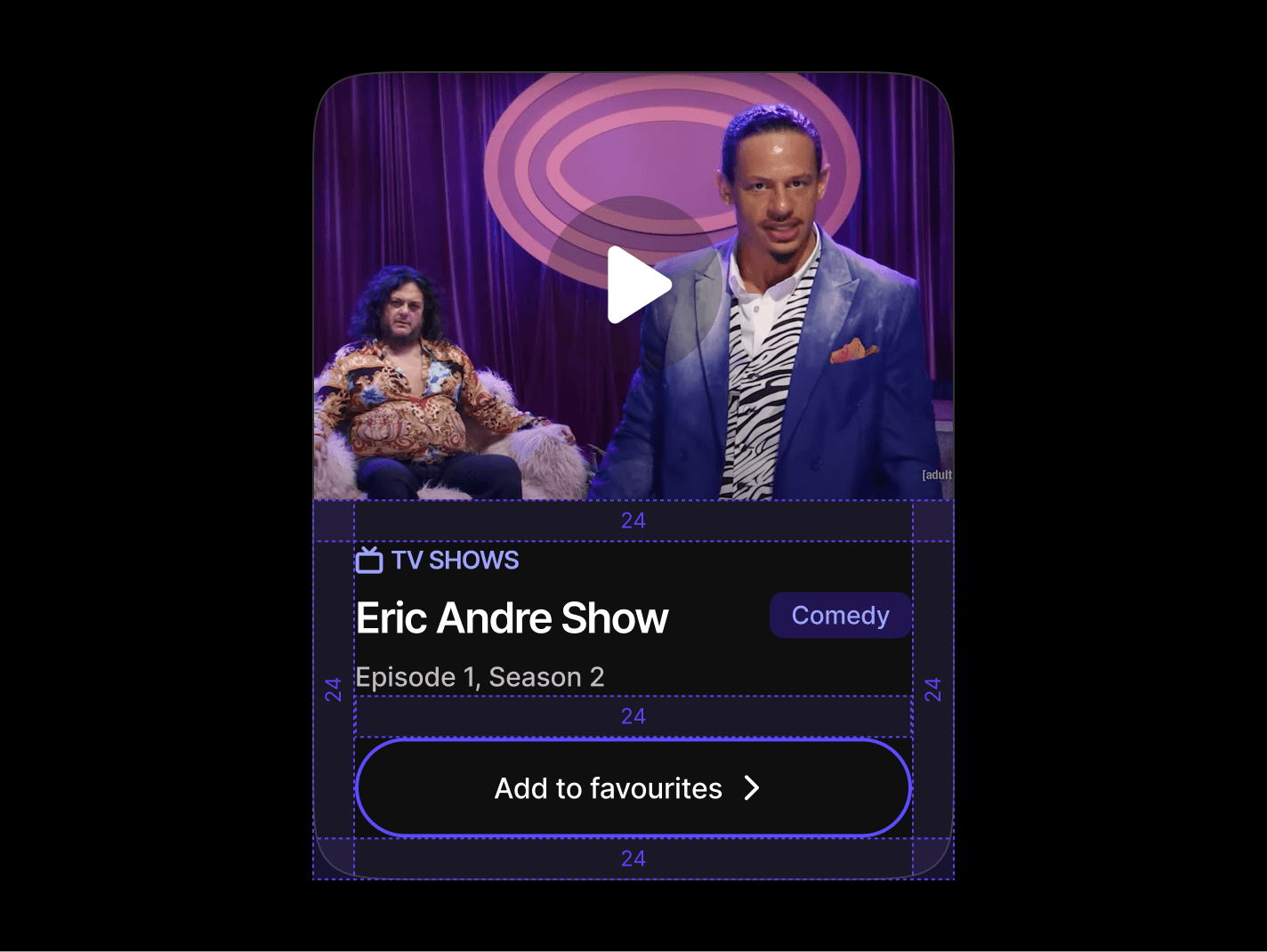
Card components use a structured spacing system with consistent padding tokens across different sections, providing visual hierarchy and content organization.
|
|
|
|
|
|
|
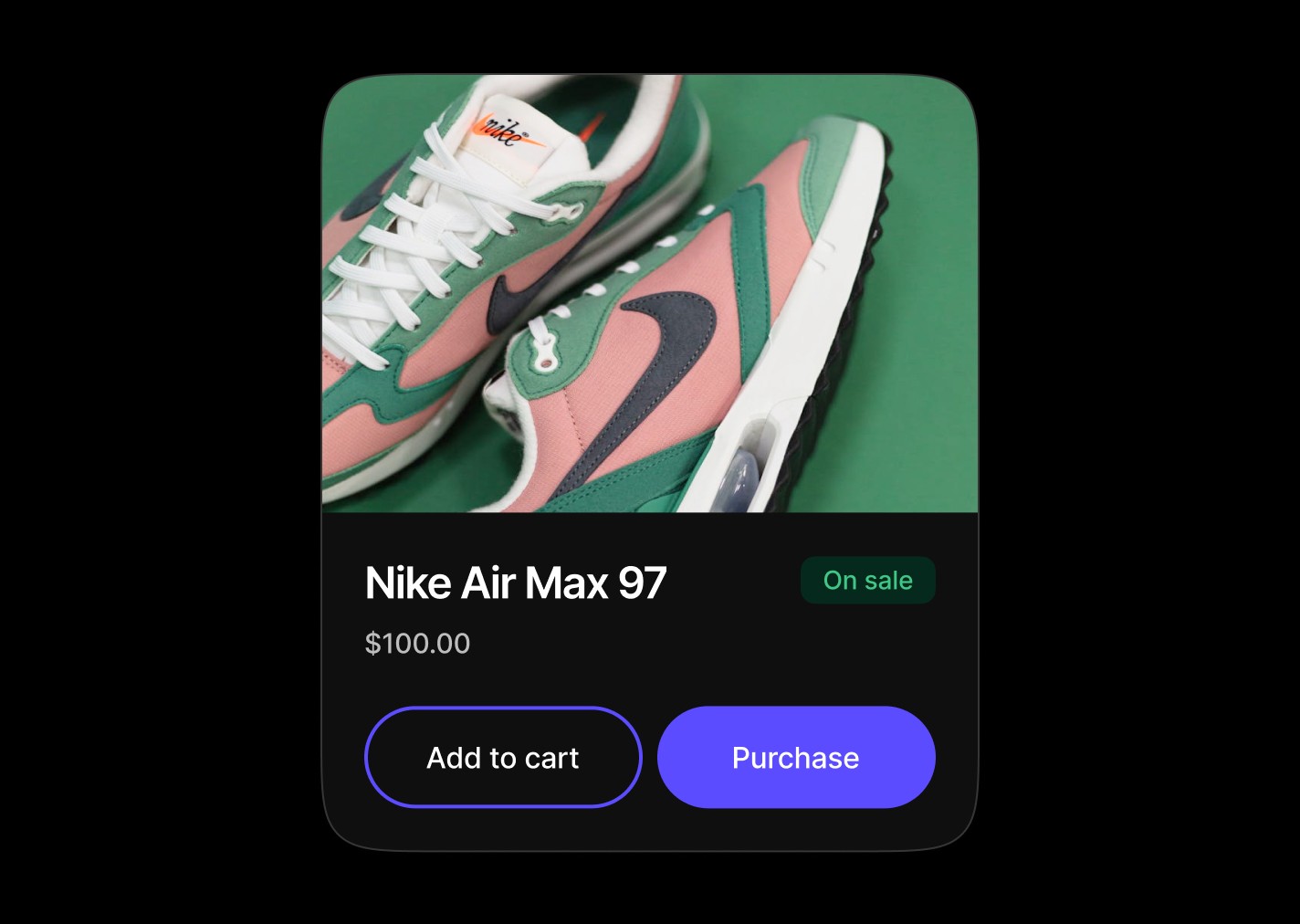
Commerce Card
Product-centric cards displaying items with pricing, availability badges, and purchase actions. Designed for e-commerce workflows with clear product information and dual action buttons for cart and direct purchase options.
Anatomy
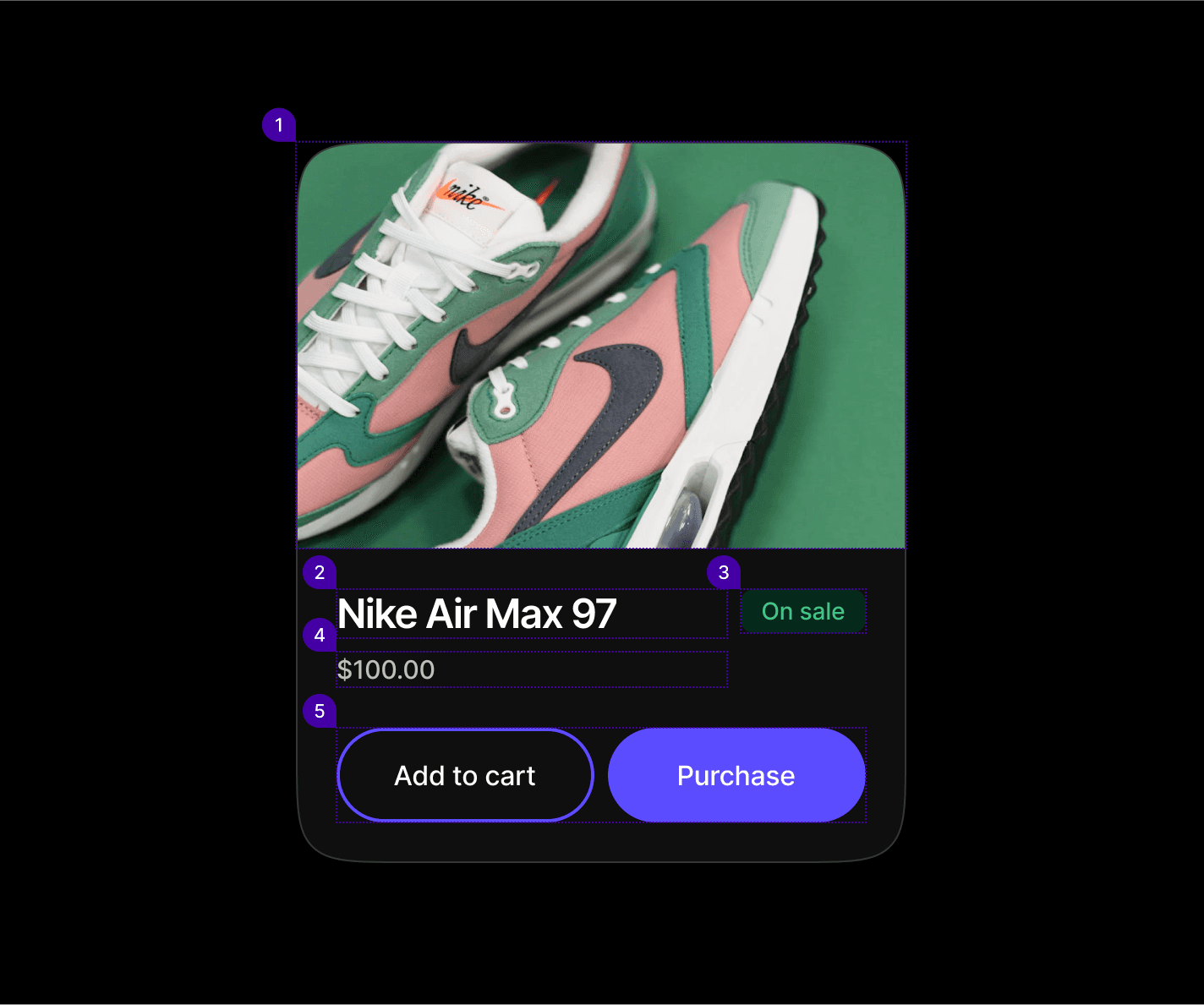
Element | Description |
|---|---|
| Card component Image |
| Card component title text |
| Badge component |
| Text |
| Secondary / Primary button |
Spacing

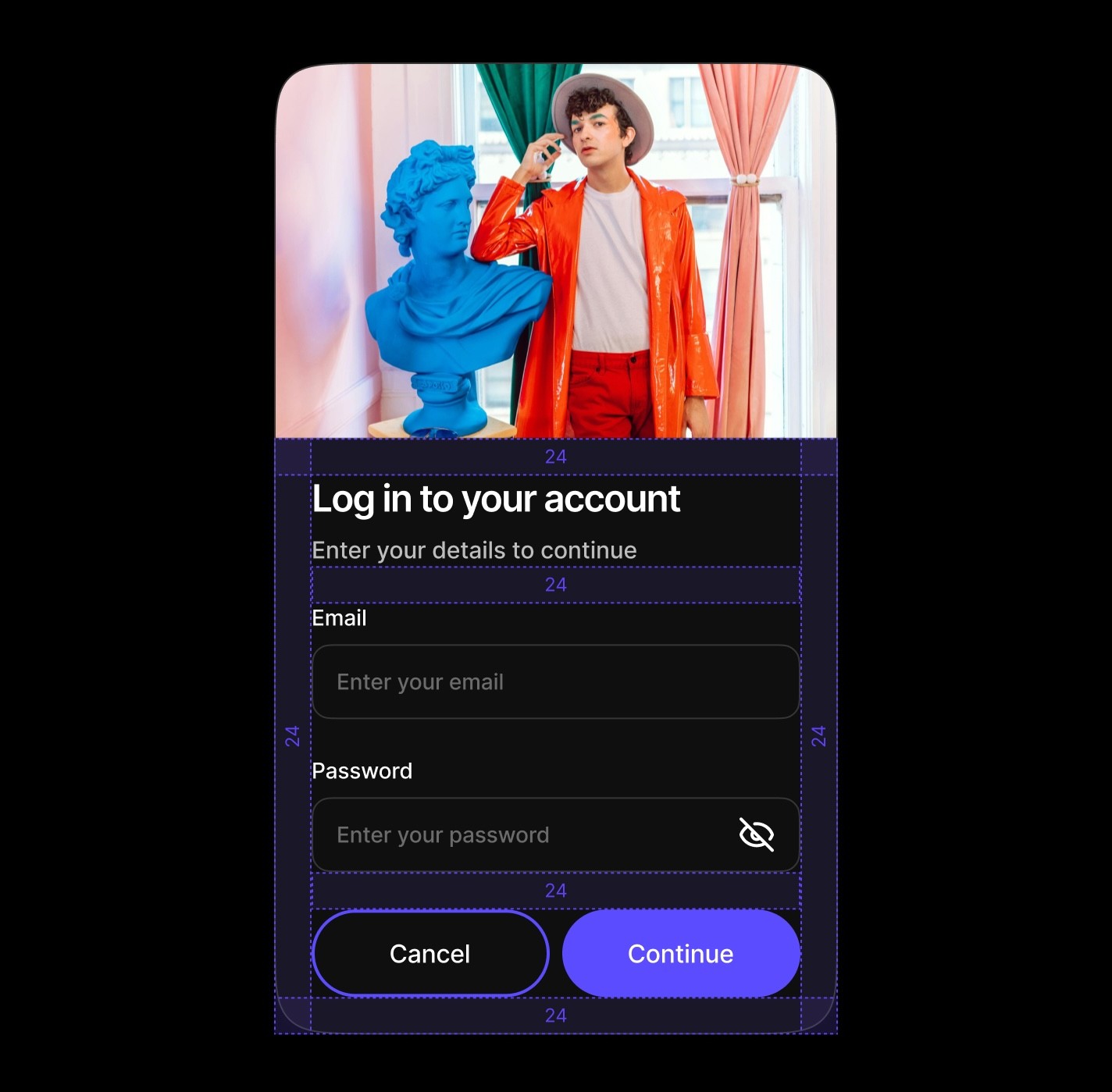
Log In Card
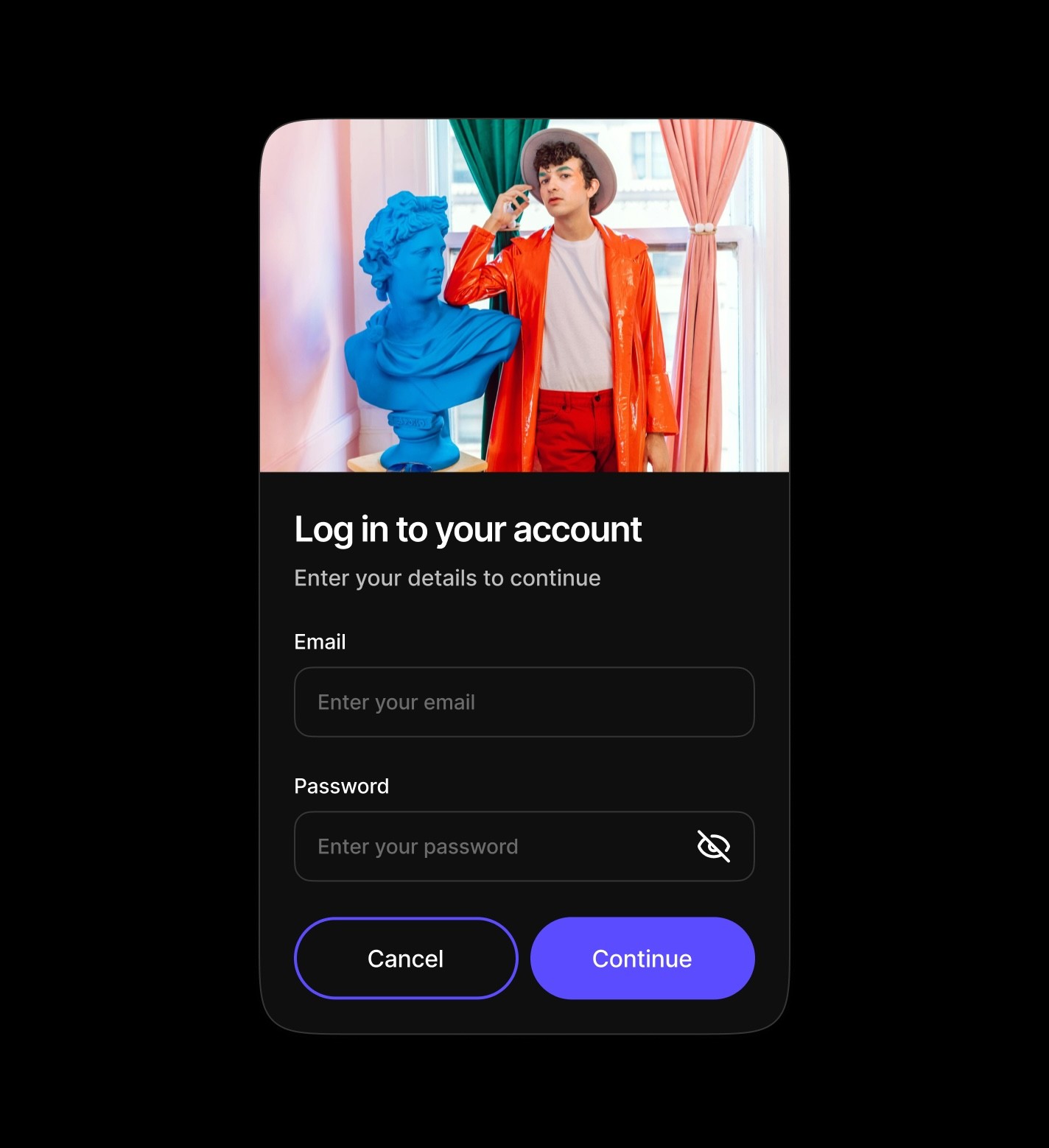
Traditional input forms featuring header imagery, titles, and multiple form fields like email and password inputs. These cards are ideal for login, signup, and data collection workflows with clear call-to-action buttons for form submission or cancellation.
Anatomy
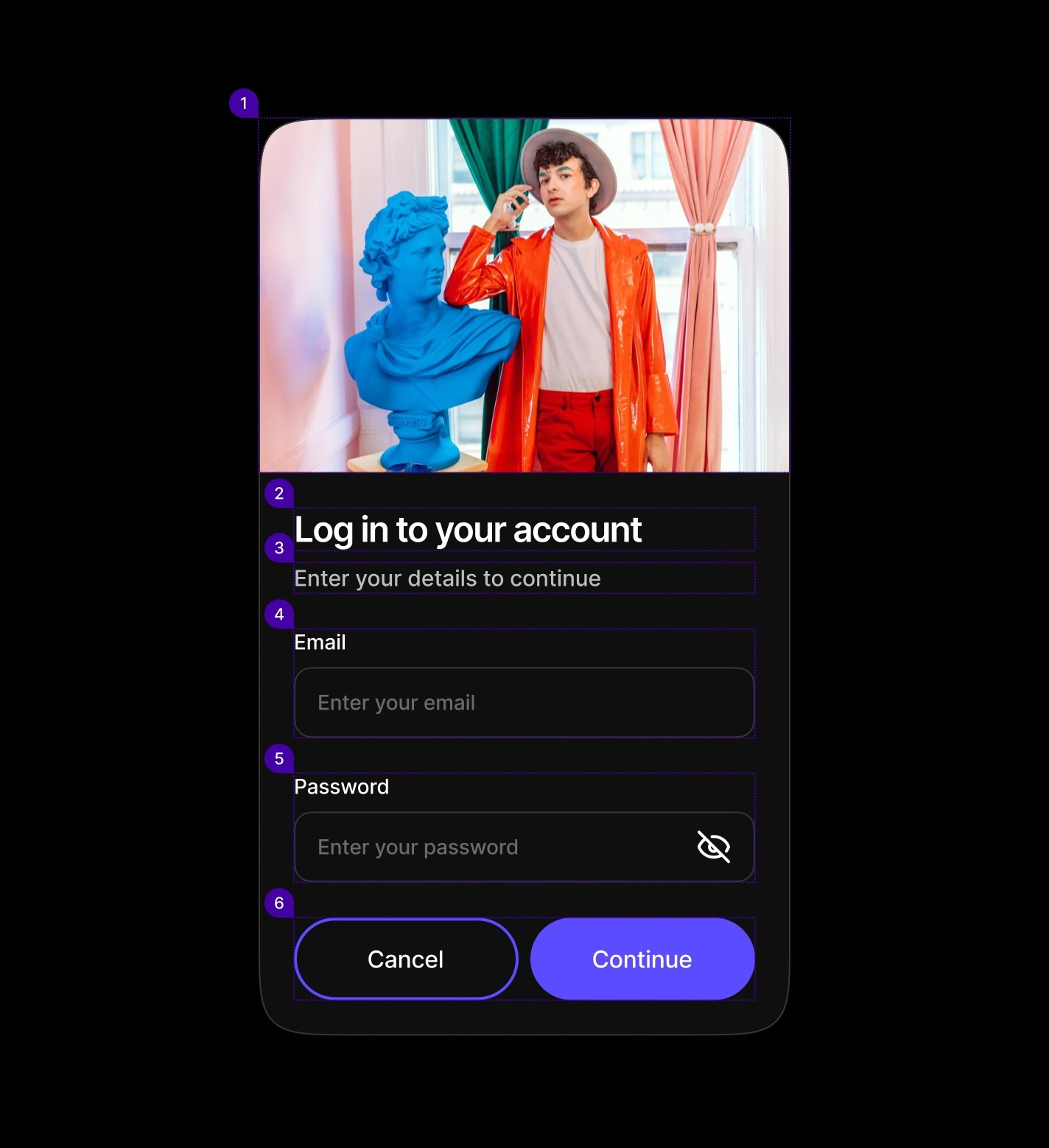
Element | Description |
|---|---|
| Card component Image |
| Card component title text |
| Text |
| Text Input Component |
| Text Input Component |
| Secondary / Primary button |
Spacing
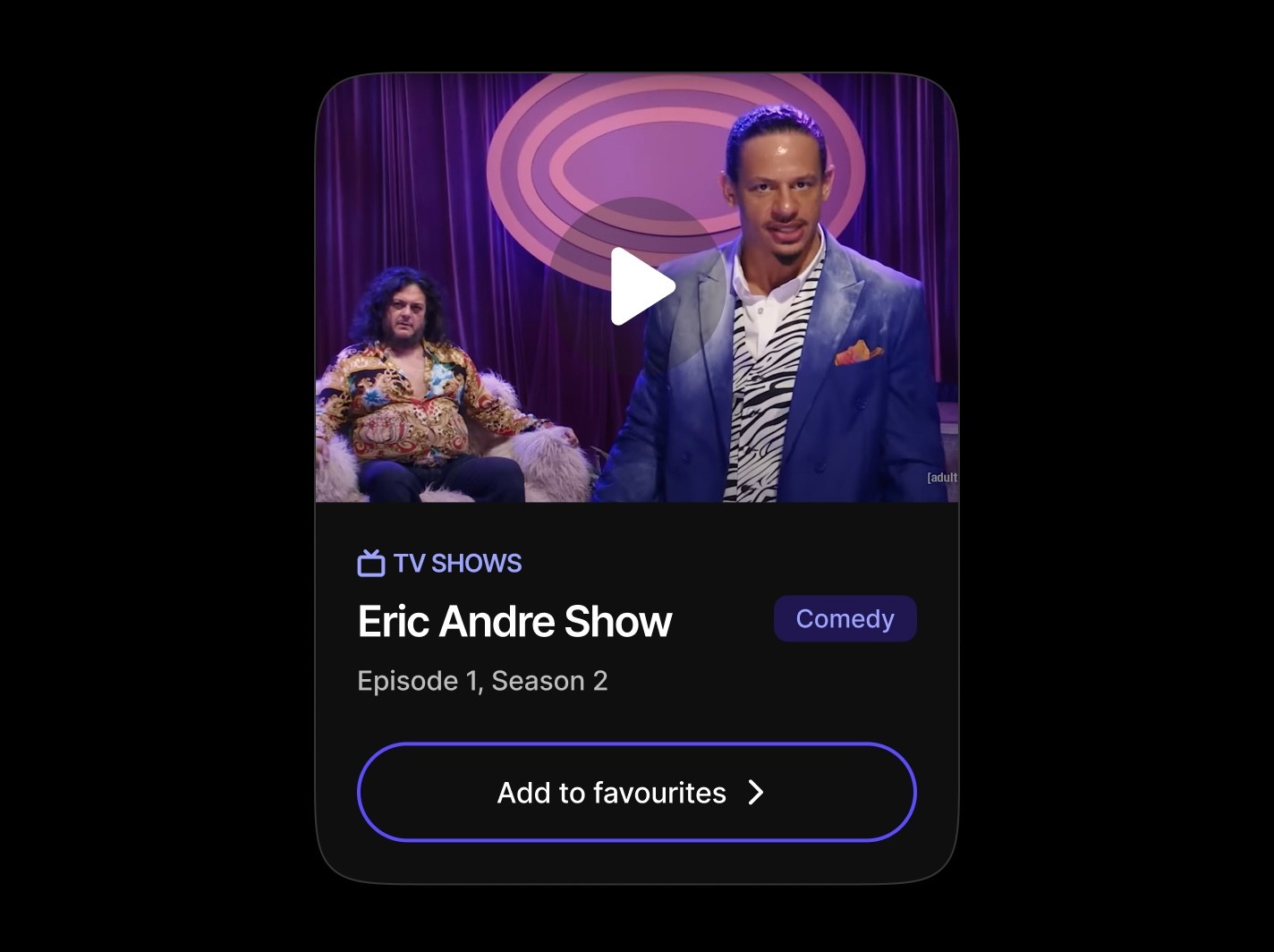
Entertainment Card
Media-focused cards showcasing TV shows, movies, or content with category overlines, badges for genres or status, and action buttons for favoriting or interaction. These cards emphasize visual hierarchy and content discovery.
Anatomy
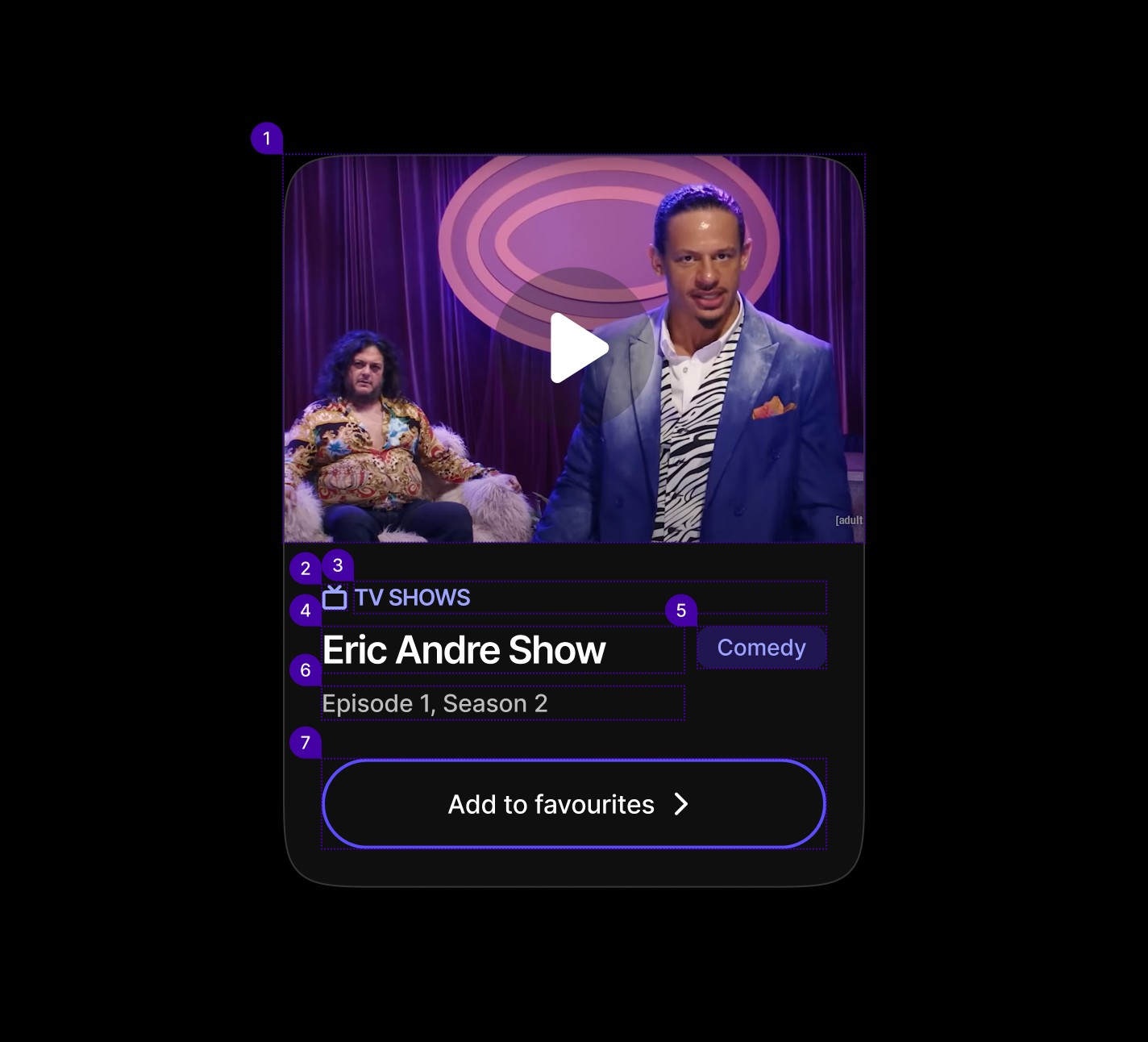
Element | Description |
|---|---|
| Card component Image |
| Lucide Icon TV |
| Text |
| Card component title text |
| Badge Component |
| Text |
| Secondary Button component |
Spacing
Array Card
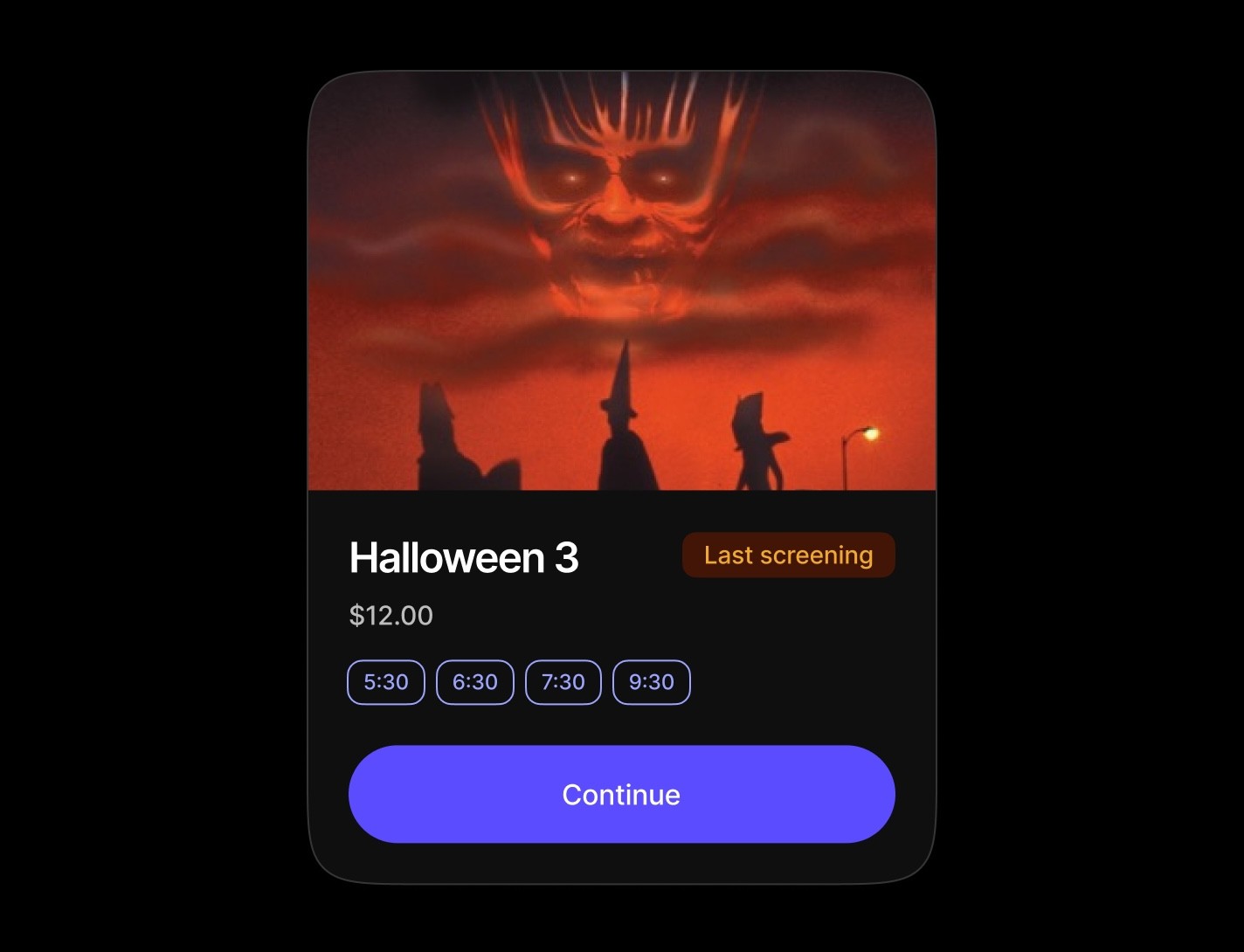
Time-based or option-based cards featuring arrays of selectable badges for scheduling, booking, or choice-making interfaces. Commonly used for appointment booking, event scheduling, or preference selection workflows.
Anatomy
Time/option-based cards with badge arrays for booking and scheduling
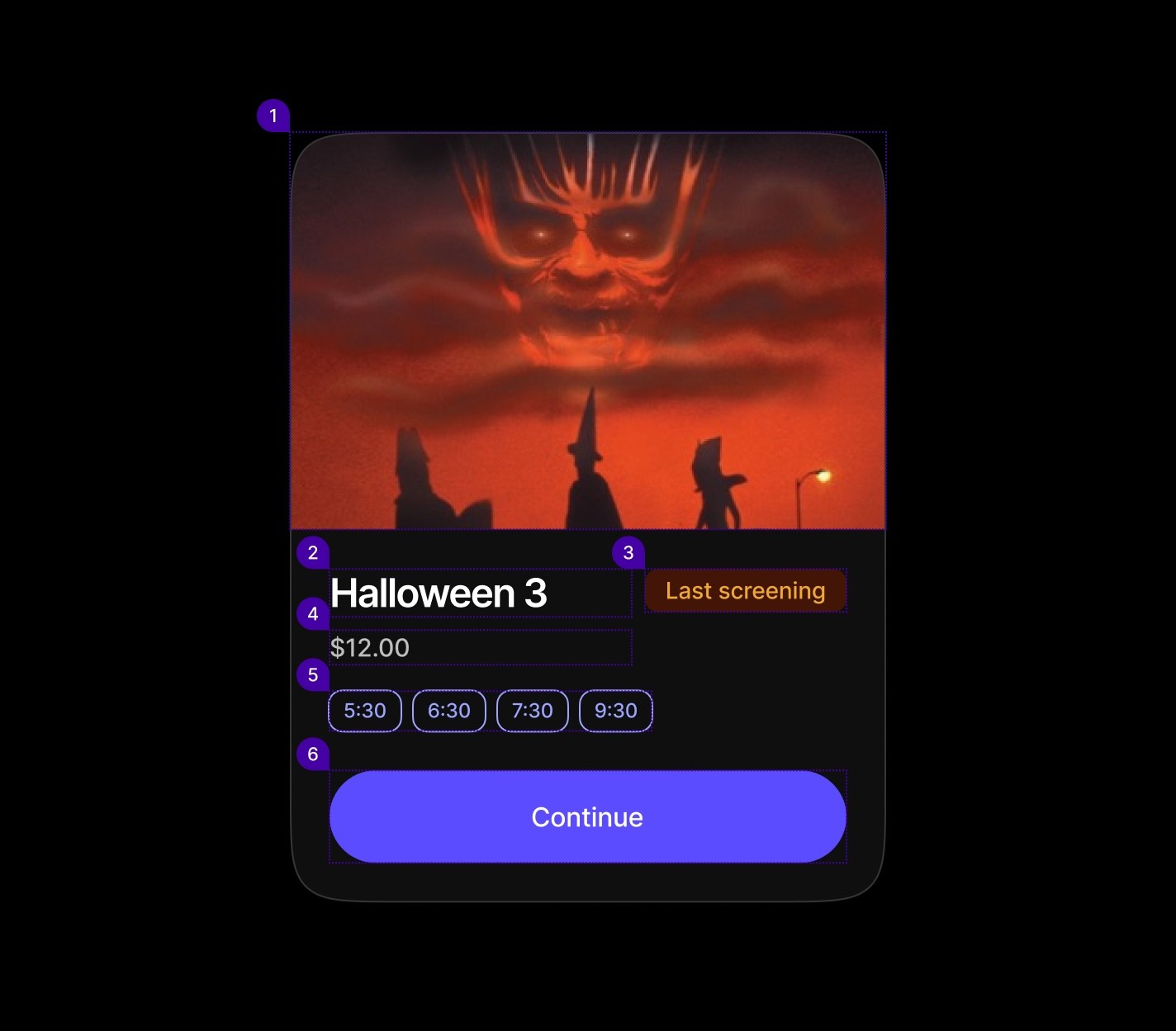
Element | Description |
|---|---|
| Card component Image |
| Text |
| Badge component |
| Text |
| Badge Component |
| Primary Button |
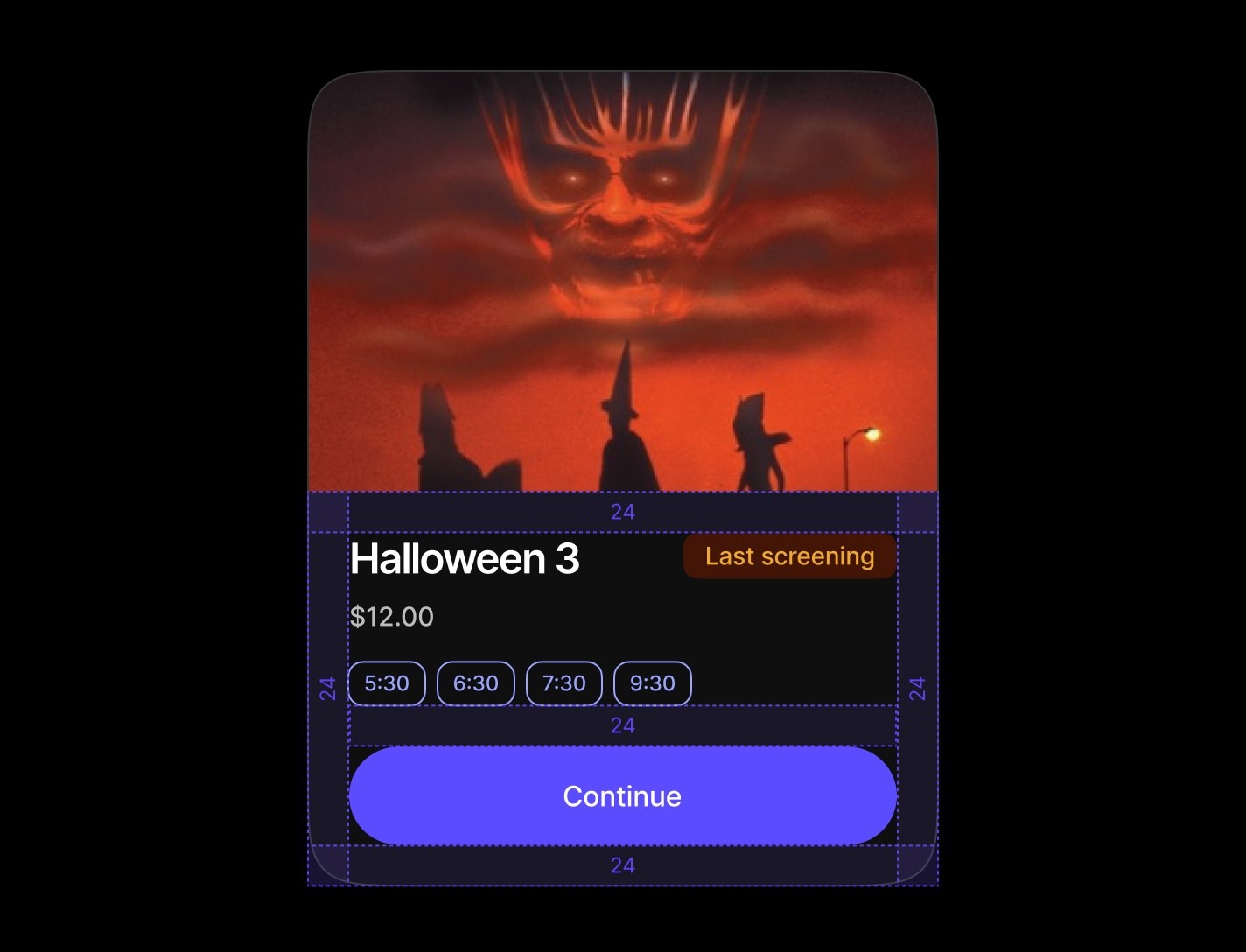
Spacing
When to use | When not to use |
|---|---|
✅ Use cards to group content and actions around a single topic. | ⛔️ Avoid nesting cards within other cards, use a divider instead to separate sections. |
✅ Wrap forms, such as a login form, inside a card for clarity. | ⛔️ Don’t use cards for drawing strong attention; they aren’t meant for alerts or highlights. |
✅ Always include a header when placing a Table component inside a card. | ⛔️ Don’t rely on cards to communicate important changes or conditions in the interface. |
Select Card
Specialized forms centered around dropdown selections with supporting descriptive content. Perfect for preference settings, category selection, or configuration screens where users need context and explanation alongside their choices.
Anatomy
Element | Description |
|---|---|
| Card component Image |
| Card component title text |
| Text |
| Select component |
| Text |
| Secondary / Primary button |
Spacing
Card components use a structured spacing system with consistent padding tokens across different sections, providing visual hierarchy and content organization.
|
|
|
|
|
|
|
Commerce Card
Product-centric cards displaying items with pricing, availability badges, and purchase actions. Designed for e-commerce workflows with clear product information and dual action buttons for cart and direct purchase options.
Anatomy
Element | Description |
|---|---|
| Card component Image |
| Card component title text |
| Badge component |
| Text |
| Secondary / Primary button |
Spacing
Log In Card
Traditional input forms featuring header imagery, titles, and multiple form fields like email and password inputs. These cards are ideal for login, signup, and data collection workflows with clear call-to-action buttons for form submission or cancellation.
Anatomy
Element | Description |
|---|---|
| Card component Image |
| Card component title text |
| Text |
| Text Input Component |
| Text Input Component |
| Secondary / Primary button |
Spacing
Entertainment Card
Media-focused cards showcasing TV shows, movies, or content with category overlines, badges for genres or status, and action buttons for favoriting or interaction. These cards emphasize visual hierarchy and content discovery.
Anatomy
Element | Description |
|---|---|
| Card component Image |
| Lucide Icon TV |
| Text |
| Card component title text |
| Badge Component |
| Text |
| Secondary Button component |
Spacing
Array Card
Time-based or option-based cards featuring arrays of selectable badges for scheduling, booking, or choice-making interfaces. Commonly used for appointment booking, event scheduling, or preference selection workflows.
Anatomy
Time/option-based cards with badge arrays for booking and scheduling
Element | Description |
|---|---|
| Card component Image |
| Text |
| Badge component |
| Text |
| Badge Component |
| Primary Button |
Spacing
When to use | When not to use |
|---|---|
✅ Use cards to group content and actions around a single topic. | ⛔️ Avoid nesting cards within other cards, use a divider instead to separate sections. |
✅ Wrap forms, such as a login form, inside a card for clarity. | ⛔️ Don’t use cards for drawing strong attention; they aren’t meant for alerts or highlights. |
✅ Always include a header when placing a Table component inside a card. | ⛔️ Don’t rely on cards to communicate important changes or conditions in the interface. |
Select Card
Specialized forms centered around dropdown selections with supporting descriptive content. Perfect for preference settings, category selection, or configuration screens where users need context and explanation alongside their choices.
Anatomy
Element | Description |
|---|---|
| Card component Image |
| Card component title text |
| Text |
| Select component |
| Text |
| Secondary / Primary button |
Spacing
Card components use a structured spacing system with consistent padding tokens across different sections, providing visual hierarchy and content organization.
|
|
|
|
|
|
|
Commerce Card
Product-centric cards displaying items with pricing, availability badges, and purchase actions. Designed for e-commerce workflows with clear product information and dual action buttons for cart and direct purchase options.
Anatomy
Element | Description |
|---|---|
| Card component Image |
| Card component title text |
| Badge component |
| Text |
| Secondary / Primary button |
Spacing
Log In Card
Traditional input forms featuring header imagery, titles, and multiple form fields like email and password inputs. These cards are ideal for login, signup, and data collection workflows with clear call-to-action buttons for form submission or cancellation.
Anatomy
Element | Description |
|---|---|
| Card component Image |
| Card component title text |
| Text |
| Text Input Component |
| Text Input Component |
| Secondary / Primary button |
Spacing
Entertainment Card
Media-focused cards showcasing TV shows, movies, or content with category overlines, badges for genres or status, and action buttons for favoriting or interaction. These cards emphasize visual hierarchy and content discovery.
Anatomy
Element | Description |
|---|---|
| Card component Image |
| Lucide Icon TV |
| Text |
| Card component title text |
| Badge Component |
| Text |
| Secondary Button component |
Spacing
Array Card
Time-based or option-based cards featuring arrays of selectable badges for scheduling, booking, or choice-making interfaces. Commonly used for appointment booking, event scheduling, or preference selection workflows.
Anatomy
Time/option-based cards with badge arrays for booking and scheduling
Element | Description |
|---|---|
| Card component Image |
| Text |
| Badge component |
| Text |
| Badge Component |
| Primary Button |
Spacing
Continue reading
Get in touch
Got a project in mind? Let’s chat. I’m always keen to hear about new ideas, collaborations, or challenges you’re looking to solve. Drop me a message and we can explore how to bring your vision to life together.
Get in touch
Got a project in mind? Let’s chat. I’m always keen to hear about new ideas, collaborations, or challenges you’re looking to solve. Drop me a message and we can explore how to bring your vision to life together.
Get in touch
Got a project in mind? Let’s chat. I’m always keen to hear about new ideas, collaborations, or challenges you’re looking to solve. Drop me a message and we can explore how to bring your vision to life together.