
Search…
Search…
Typography
Live in Codebase
Typography shapes how users perceive and interact with content. A well-defined typography system enhances readability, establishes hierarchy, and ensures a cohesive brand presence. By balancing aesthetics with function, typography helps create a more accessible and engaging experience.
AA
WCAG 2.1 accessibility compliant
Typography
Typography shapes how users perceive and interact with content. A well-defined typography system enhances readability, establishes hierarchy, and ensures a cohesive brand presence. By balancing aesthetics with function, typography helps create a more accessible and engaging experience.
Typography
Live in Codebase
Typography shapes how users perceive and interact with content. A well-defined typography system enhances readability, establishes hierarchy, and ensures a cohesive brand presence. By balancing aesthetics with function, typography helps create a more accessible and engaging experience.
AA
WCAG 2.1 accessibility compliant
Figma Designs

Figma Designs
Figma Designs
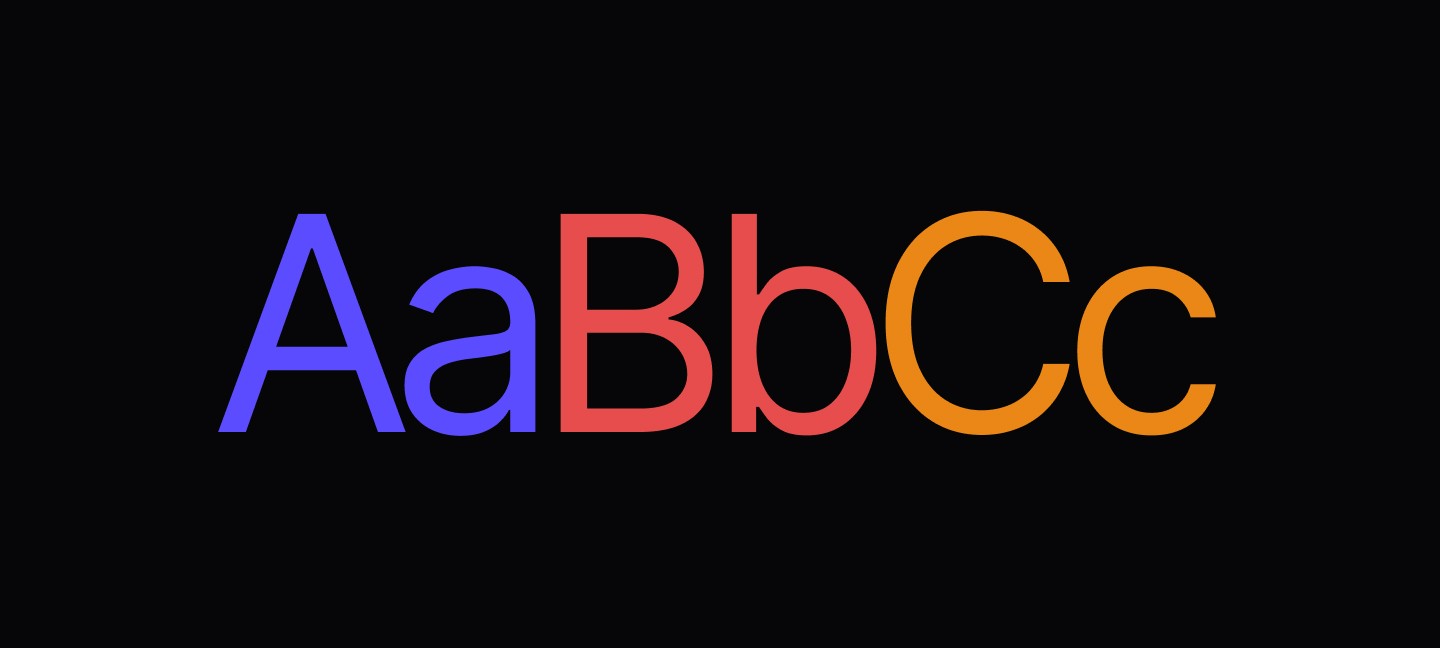
The typography system provides a harmonious and accessible type scale optimized for mobile readability across iOS, Android, and web platforms. It uses Inter as the primary typeface with carefully calibrated size scales for both body text and headings.
Font Size Categories
A well-structured typography system consists of several key elements that work together to create a consistent reading experience.
Body text | (xs → xl): Optimized for content readability |
Headings | (2xl → 8xl): Designed for visual hierarchy and impact |
Font Family
Primary Typeface: Inter
Inter is a modern, highly readable sans-serif typeface specifically designed for user interfaces. It provides excellent legibility at all sizes and weights, making it ideal for mobile applications.

/*Font family configuration*/
fontFamily: { fontName: 'Inter' }

/*Available font weights */
Inter-Regular    // 400 - Body text
Inter-Medium     // 500 - Default component text
Inter-SemiBold   // 600 - Emphasis and labels
Inter-Bold       // 700 - Strong emphasis
Font Loading
The design system includes the complete Inter font family
assets/fonts/
├── Inter-Regular.ttf
├── Inter-Medium.ttf
├── Inter-SemiBold.ttf
└── Inter-Bold.ttf
Typography Scale
Body Text Sizes: Optimized for content consumption and interface elements
text-xs     /* 12px/16px - BODYXS - Small annotations, captions */
text-sm     /* 14px/20px - BODYSM - Secondary text, metadata */
text-base   /* 15px/20px - BODYBASE - Default body text */
text-md     /* 16px/23px - BODYMD - Primary content text */
text-lg     /* 22px/28px - BODYLG - Large body text, emphasis */
text-xl     /* 26px/28px - BODYXL - Extra large body text */
Heading Sizes
Designed for visual hierarchy and content structure
/* Heading Scale */
text-2xl    /* 15px/15px - HEADING2XL - Small section headings */
text-3xl    /* 17px/36px - HEADING3XL - Subsection headings */
text-4xl    /* 20px/45px - HEADING4XL - Section headings */
text-5xl    /* 24px/45px - HEADING5XL - Page headings */
text-6xl    /* 32px/45px - HEADING6XL - Large headings */
text-7xl    /* 36px/45px - HEADING7XL - Display headings */
text-8xl    /* 40px/45px - HEADING8XL - Hero headings */
Text Components
Base Text Components
The design system provides three foundational text components
Text Regular
Default text component with Inter-Medium (500 weight):

import { Text } from '@/components/ui/text';

<Text className="text-base text-sys-text-body">
  Regular body text content
</Text>
Text Semibold
Enhanced text component with Inter-SemiBold (600 weight):

import { TextSemiBold } from '@/components/ui/text';

<TextSemiBold className="text-md text-sys-text-body">
  Important labels and emphasis
</TextSemiBold>
Text Bold
Strong emphasis text component with Inter-Bold (700 weight):

import { TextBold } from '@/components/ui/text';

<TextBold className="text-lg text-sys-text-body">
  Strong emphasis and headings
</TextBold>
Component Features
- **Font Scaling Disabled**: `allowFontScaling={false}` ensures consistent sizing
- **Web Selection**: `web:select-text` enables text selection on web platforms
- **Context Support**: `TextClassContext` for hierarchical styling
- **Slot Support**: `asChild` prop for composition patterns
Accessibility Considerations
WCAG Compliance: The typography system ensures WCAG 2.1 Level AA compliance
Contrast Ratios |
|---|
Primary text: 4.5:1 minimum contrast ratio |
Secondary text: 4.5:1 for important content, 3:1 for supporting text |
Disabled text: Maintains minimum contrast for visibility |
Font Size Guidelines
// Minimum touch targets for mobile
<TouchableOpacity className="min-h-[44px] px-md">  {/* iOS guidelines */}
  <Text className="text-base">Touchable text</Text>
</TouchableOpacity>

<Pressable className="min-h-[48px] px-md">          {/* Android guidelines */}
  <Text className="text-base">Pressable text</Text>
</Pressable>
Screen Reader Support
// Semantic heading structure
<Text
  className="text-6xl text-sys-text-body"
  accessibilityRole="header"
  accessibilityLevel={1}
>
  Page Title
</Text>

// Descriptive text with context
<Text
  className="text-sm text-sys-text-neutral-3"
  accessibilityLabel="Form validation error"
  accessibilityLiveRegion="polite"
>
  Please enter a valid email address
</Text>
Native vs Web Differences
#### Font Rendering
// Native-specific font optimizations
const styles = StyleSheet.create({
  Inter: {
    fontFamily: 'Inter-Medium',
    // Native font rendering optimizations
  },
  InterSemiBold: {
    fontFamily: 'Inter-SemiBold',
    fontWeight: 'bold', // Web fallback
  }
});

#### Text Selection
// Web-specific text selection
<Text className="text-base web:select-text">
  Selectable text on web platforms
</Text>

// Native text selection (when needed)
<Text selectable className="text-base">
  Selectable text on native platforms
</Text>
Performance Optimizations
#### Font Scaling Control
// Consistent sizing across devices
<Text allowFontScaling={false} className="text-base">
  Fixed size text that won't scale with system settings
</Text>

#### Font Loading Strategy
// Expo font configuration in app.json
{
  "expo": {
    "plugins": ["expo-font"],
    "assetBundlePatterns": ["**/*"]
  }
}
Contextual Typography
// Providing context for nested components
<TextClassContext.Provider value="text-sys-text-secondary">
  <Card>
    <Text>This text inherits secondary color</Text>
  </Card>
</TextClassContext.Provider>
Composition Patterns
// Using asChild for composition
<Button asChild>
  <Text className="text-base text-sys-text-white">
    Composed button text
  </Text>
</Button>
Typography Animations
import Animated, { FadeInUp } from 'react-native-reanimated';

<Animated.View entering={FadeInUp}>
  <TextBold className="text-4xl text-sys-text-body">
    Animated Heading
  </TextBold>
</Animated.View>
Dark Mode Token Behavior
The typography system automatically adapts to light and dark themes using semantic color tokens
// These tokens automatically switch between light and dark modes
<Text className="text-sys-text-body">
  {/* Light mode: Dark text (readable on light background) */}
  {/* Dark mode: White text (readable on dark background) */}
  Main content text
</Text>

<Text className="text-sys-text-white">
  {/* Always white in both modes */}
  Button text or emphasis
</Text>

<Text className="text-sys-text-secondary">
  {/* Light mode: Purple accent */}
  {/* Dark mode: Lighter purple accent */}
  Secondary accent text
</Text>
NativeWind Dark Mode Integration
For React Native components, ensure you're using the design system's useColorScheme hook
// ❌ Don't use React Native's native hook
import { useColorScheme } from 'react-native';

// ✅ Use the design system's hook for NativeWind integration
import { useColorScheme } from '@/lib/useColorScheme';

function MyComponent() {
  const { isDarkColorScheme } = useColorScheme();

  return (
    <Text className="text-sys-text-body">
      {/* Automatically adapts to dark mode changes */}
      Text that switches color based on theme
    </Text>
  );
}
Best Practices
1. **Consistent Font Weight Usage**
✅ <Text className="text-base">Regular content</Text>
✅ <TextSemiBold className="text-md">Important labels</TextSemiBold>
✅ <TextBold className="text-lg">Strong emphasis</TextBold>

❌ <Text style={{ fontWeight: '600' }}>Avoid inline styles</Text>

2. **Semantic Color Tokens**
✅ <Text className="text-sys-text-body">Use semantic tokens</Text>
✅ <Text className="text-sys-text-secondary">Secondary content</Text>

❌ <Text className="text-ref-neutral-900">Avoid reference tokens</Text>

3. **Responsive Typography**
✅ <Text className="text-sm md:text-base">Responsive scaling</Text>
✅ <TextBold className="text-4xl lg:text-6xl">Responsive headings</TextBold>

❌ <Text className="text-[14px]">Avoid arbitrary values</Text>

4. **Accessibility Labels**
✅ <Text accessibilityRole="header" accessibilityLevel={2}>Section Title</Text>
✅ <Text accessibilityLabel="Error message">Field validation failed</Text>

❌ <Text>❌ Error</Text> // No context for screen readers

5. **Platform Optimization**
✅ <Text className="text-base native:text-md">Platform-optimized</Text>
✅ <Text className="web:select-text">Web-specific features</Text>

❌ <Text selectable={Platform.OS === 'web'}>Manual platform detection</Text>
The typography system provides a harmonious and accessible type scale optimized for mobile readability across iOS, Android, and web platforms. It uses Inter as the primary typeface with carefully calibrated size scales for both body text and headings.
Font Size Categories
A well-structured typography system consists of several key elements that work together to create a consistent reading experience.
Body text | (xs → xl): Optimized for content readability |
Headings | (2xl → 8xl): Designed for visual hierarchy and impact |
Font Family
Primary Typeface: Inter
Inter is a modern, highly readable sans-serif typeface specifically designed for user interfaces. It provides excellent legibility at all sizes and weights, making it ideal for mobile applications.
/*Font family configuration*/
fontFamily: { fontName: 'Inter' }

/*Available font weights */
Inter-Regular    // 400 - Body text
Inter-Medium     // 500 - Default component text
Inter-SemiBold   // 600 - Emphasis and labels
Inter-Bold       // 700 - Strong emphasis
Font Loading
The design system includes the complete Inter font family
assets/fonts/
├── Inter-Regular.ttf
├── Inter-Medium.ttf
├── Inter-SemiBold.ttf
└── Inter-Bold.ttf
Typography Scale
Body Text Sizes: Optimized for content consumption and interface elements
text-xs     /* 12px/16px - BODYXS - Small annotations, captions */
text-sm     /* 14px/20px - BODYSM - Secondary text, metadata */
text-base   /* 15px/20px - BODYBASE - Default body text */
text-md     /* 16px/23px - BODYMD - Primary content text */
text-lg     /* 22px/28px - BODYLG - Large body text, emphasis */
text-xl     /* 26px/28px - BODYXL - Extra large body text */
Heading Sizes
Designed for visual hierarchy and content structure
/* Heading Scale */
text-2xl    /* 15px/15px - HEADING2XL - Small section headings */
text-3xl    /* 17px/36px - HEADING3XL - Subsection headings */
text-4xl    /* 20px/45px - HEADING4XL - Section headings */
text-5xl    /* 24px/45px - HEADING5XL - Page headings */
text-6xl    /* 32px/45px - HEADING6XL - Large headings */
text-7xl    /* 36px/45px - HEADING7XL - Display headings */
text-8xl    /* 40px/45px - HEADING8XL - Hero headings */
Text Components
Base Text Components
The design system provides three foundational text components
Text Regular
Default text component with Inter-Medium (500 weight):

import { Text } from '@/components/ui/text';

<Text className="text-base text-sys-text-body">
  Regular body text content
</Text>
Text Semibold
Enhanced text component with Inter-SemiBold (600 weight):

import { TextSemiBold } from '@/components/ui/text';

<TextSemiBold className="text-md text-sys-text-body">
  Important labels and emphasis
</TextSemiBold>
Text Bold
Strong emphasis text component with Inter-Bold (700 weight):

import { TextBold } from '@/components/ui/text';

<TextBold className="text-lg text-sys-text-body">
  Strong emphasis and headings
</TextBold>
Component Features
- **Font Scaling Disabled**: `allowFontScaling={false}` ensures consistent sizing
- **Web Selection**: `web:select-text` enables text selection on web platforms
- **Context Support**: `TextClassContext` for hierarchical styling
- **Slot Support**: `asChild` prop for composition patterns
Accessibility Considerations
WCAG Compliance: The typography system ensures WCAG 2.1 Level AA compliance
Contrast Ratios |
|---|
Primary text: 4.5:1 minimum contrast ratio |
Secondary text: 4.5:1 for important content, 3:1 for supporting text |
Disabled text: Maintains minimum contrast for visibility |
Font Size Guidelines
// Minimum touch targets for mobile
<TouchableOpacity className="min-h-[44px] px-md">  {/* iOS guidelines */}
  <Text className="text-base">Touchable text</Text>
</TouchableOpacity>

<Pressable className="min-h-[48px] px-md">          {/* Android guidelines */}
  <Text className="text-base">Pressable text</Text>
</Pressable>
Screen Reader Support
// Semantic heading structure
<Text
  className="text-6xl text-sys-text-body"
  accessibilityRole="header"
  accessibilityLevel={1}
>
  Page Title
</Text>

// Descriptive text with context
<Text
  className="text-sm text-sys-text-neutral-3"
  accessibilityLabel="Form validation error"
  accessibilityLiveRegion="polite"
>
  Please enter a valid email address
</Text>
Native vs Web Differences
#### Font Rendering
// Native-specific font optimizations
const styles = StyleSheet.create({
  Inter: {
    fontFamily: 'Inter-Medium',
    // Native font rendering optimizations
  },
  InterSemiBold: {
    fontFamily: 'Inter-SemiBold',
    fontWeight: 'bold', // Web fallback
  }
});

#### Text Selection
// Web-specific text selection
<Text className="text-base web:select-text">
  Selectable text on web platforms
</Text>

// Native text selection (when needed)
<Text selectable className="text-base">
  Selectable text on native platforms
</Text>
Performance Optimizations
#### Font Scaling Control
// Consistent sizing across devices
<Text allowFontScaling={false} className="text-base">
  Fixed size text that won't scale with system settings
</Text>

#### Font Loading Strategy
// Expo font configuration in app.json
{
  "expo": {
    "plugins": ["expo-font"],
    "assetBundlePatterns": ["**/*"]
  }
}
Contextual Typography
// Providing context for nested components
<TextClassContext.Provider value="text-sys-text-secondary">
  <Card>
    <Text>This text inherits secondary color</Text>
  </Card>
</TextClassContext.Provider>
Composition Patterns
// Using asChild for composition
<Button asChild>
  <Text className="text-base text-sys-text-white">
    Composed button text
  </Text>
</Button>
Typography Animations
import Animated, { FadeInUp } from 'react-native-reanimated';

<Animated.View entering={FadeInUp}>
  <TextBold className="text-4xl text-sys-text-body">
    Animated Heading
  </TextBold>
</Animated.View>
Dark Mode Token Behavior
The typography system automatically adapts to light and dark themes using semantic color tokens
// These tokens automatically switch between light and dark modes
<Text className="text-sys-text-body">
  {/* Light mode: Dark text (readable on light background) */}
  {/* Dark mode: White text (readable on dark background) */}
  Main content text
</Text>

<Text className="text-sys-text-white">
  {/* Always white in both modes */}
  Button text or emphasis
</Text>

<Text className="text-sys-text-secondary">
  {/* Light mode: Purple accent */}
  {/* Dark mode: Lighter purple accent */}
  Secondary accent text
</Text>
NativeWind Dark Mode Integration
For React Native components, ensure you're using the design system's useColorScheme hook
// ❌ Don't use React Native's native hook
import { useColorScheme } from 'react-native';

// ✅ Use the design system's hook for NativeWind integration
import { useColorScheme } from '@/lib/useColorScheme';

function MyComponent() {
  const { isDarkColorScheme } = useColorScheme();

  return (
    <Text className="text-sys-text-body">
      {/* Automatically adapts to dark mode changes */}
      Text that switches color based on theme
    </Text>
  );
}
Best Practices
1. **Consistent Font Weight Usage**
✅ <Text className="text-base">Regular content</Text>
✅ <TextSemiBold className="text-md">Important labels</TextSemiBold>
✅ <TextBold className="text-lg">Strong emphasis</TextBold>

❌ <Text style={{ fontWeight: '600' }}>Avoid inline styles</Text>

2. **Semantic Color Tokens**
✅ <Text className="text-sys-text-body">Use semantic tokens</Text>
✅ <Text className="text-sys-text-secondary">Secondary content</Text>

❌ <Text className="text-ref-neutral-900">Avoid reference tokens</Text>

3. **Responsive Typography**
✅ <Text className="text-sm md:text-base">Responsive scaling</Text>
✅ <TextBold className="text-4xl lg:text-6xl">Responsive headings</TextBold>

❌ <Text className="text-[14px]">Avoid arbitrary values</Text>

4. **Accessibility Labels**
✅ <Text accessibilityRole="header" accessibilityLevel={2}>Section Title</Text>
✅ <Text accessibilityLabel="Error message">Field validation failed</Text>

❌ <Text>❌ Error</Text> // No context for screen readers

5. **Platform Optimization**
✅ <Text className="text-base native:text-md">Platform-optimized</Text>
✅ <Text className="web:select-text">Web-specific features</Text>

❌ <Text selectable={Platform.OS === 'web'}>Manual platform detection</Text>
The typography system provides a harmonious and accessible type scale optimized for mobile readability across iOS, Android, and web platforms. It uses Inter as the primary typeface with carefully calibrated size scales for both body text and headings.
Font Size Categories
A well-structured typography system consists of several key elements that work together to create a consistent reading experience.
Body text | (xs → xl): Optimized for content readability |
Headings | (2xl → 8xl): Designed for visual hierarchy and impact |
Font Family
Primary Typeface: Inter
Inter is a modern, highly readable sans-serif typeface specifically designed for user interfaces. It provides excellent legibility at all sizes and weights, making it ideal for mobile applications.
/*Font family configuration*/
fontFamily: { fontName: 'Inter' }

/*Available font weights */
Inter-Regular    // 400 - Body text
Inter-Medium     // 500 - Default component text
Inter-SemiBold   // 600 - Emphasis and labels
Inter-Bold       // 700 - Strong emphasis
Font Loading
The design system includes the complete Inter font family
assets/fonts/
├── Inter-Regular.ttf
├── Inter-Medium.ttf
├── Inter-SemiBold.ttf
└── Inter-Bold.ttf
Typography Scale
Body Text Sizes: Optimized for content consumption and interface elements
text-xs     /* 12px/16px - BODYXS - Small annotations, captions */
text-sm     /* 14px/20px - BODYSM - Secondary text, metadata */
text-base   /* 15px/20px - BODYBASE - Default body text */
text-md     /* 16px/23px - BODYMD - Primary content text */
text-lg     /* 22px/28px - BODYLG - Large body text, emphasis */
text-xl     /* 26px/28px - BODYXL - Extra large body text */
Heading Sizes
Designed for visual hierarchy and content structure
/* Heading Scale */
text-2xl    /* 15px/15px - HEADING2XL - Small section headings */
text-3xl    /* 17px/36px - HEADING3XL - Subsection headings */
text-4xl    /* 20px/45px - HEADING4XL - Section headings */
text-5xl    /* 24px/45px - HEADING5XL - Page headings */
text-6xl    /* 32px/45px - HEADING6XL - Large headings */
text-7xl    /* 36px/45px - HEADING7XL - Display headings */
text-8xl    /* 40px/45px - HEADING8XL - Hero headings */
Text Components
Base Text Components
The design system provides three foundational text components
Text Regular
Default text component with Inter-Medium (500 weight):

import { Text } from '@/components/ui/text';

<Text className="text-base text-sys-text-body">
  Regular body text content
</Text>
Text Semibold
Enhanced text component with Inter-SemiBold (600 weight):

import { TextSemiBold } from '@/components/ui/text';

<TextSemiBold className="text-md text-sys-text-body">
  Important labels and emphasis
</TextSemiBold>
Text Bold
Strong emphasis text component with Inter-Bold (700 weight):

import { TextBold } from '@/components/ui/text';

<TextBold className="text-lg text-sys-text-body">
  Strong emphasis and headings
</TextBold>
Component Features
- **Font Scaling Disabled**: `allowFontScaling={false}` ensures consistent sizing
- **Web Selection**: `web:select-text` enables text selection on web platforms
- **Context Support**: `TextClassContext` for hierarchical styling
- **Slot Support**: `asChild` prop for composition patterns
Accessibility Considerations
WCAG Compliance: The typography system ensures WCAG 2.1 Level AA compliance
Contrast Ratios |
|---|
Primary text: 4.5:1 minimum contrast ratio |
Secondary text: 4.5:1 for important content, 3:1 for supporting text |
Disabled text: Maintains minimum contrast for visibility |
Font Size Guidelines
// Minimum touch targets for mobile
<TouchableOpacity className="min-h-[44px] px-md">  {/* iOS guidelines */}
  <Text className="text-base">Touchable text</Text>
</TouchableOpacity>

<Pressable className="min-h-[48px] px-md">          {/* Android guidelines */}
  <Text className="text-base">Pressable text</Text>
</Pressable>
Screen Reader Support
// Semantic heading structure
<Text
  className="text-6xl text-sys-text-body"
  accessibilityRole="header"
  accessibilityLevel={1}
>
  Page Title
</Text>

// Descriptive text with context
<Text
  className="text-sm text-sys-text-neutral-3"
  accessibilityLabel="Form validation error"
  accessibilityLiveRegion="polite"
>
  Please enter a valid email address
</Text>
Native vs Web Differences
#### Font Rendering
// Native-specific font optimizations
const styles = StyleSheet.create({
  Inter: {
    fontFamily: 'Inter-Medium',
    // Native font rendering optimizations
  },
  InterSemiBold: {
    fontFamily: 'Inter-SemiBold',
    fontWeight: 'bold', // Web fallback
  }
});

#### Text Selection
// Web-specific text selection
<Text className="text-base web:select-text">
  Selectable text on web platforms
</Text>

// Native text selection (when needed)
<Text selectable className="text-base">
  Selectable text on native platforms
</Text>
Performance Optimizations
#### Font Scaling Control
// Consistent sizing across devices
<Text allowFontScaling={false} className="text-base">
  Fixed size text that won't scale with system settings
</Text>

#### Font Loading Strategy
// Expo font configuration in app.json
{
  "expo": {
    "plugins": ["expo-font"],
    "assetBundlePatterns": ["**/*"]
  }
}
Contextual Typography
// Providing context for nested components
<TextClassContext.Provider value="text-sys-text-secondary">
  <Card>
    <Text>This text inherits secondary color</Text>
  </Card>
</TextClassContext.Provider>
Composition Patterns
// Using asChild for composition
<Button asChild>
  <Text className="text-base text-sys-text-white">
    Composed button text
  </Text>
</Button>
Typography Animations
import Animated, { FadeInUp } from 'react-native-reanimated';

<Animated.View entering={FadeInUp}>
  <TextBold className="text-4xl text-sys-text-body">
    Animated Heading
  </TextBold>
</Animated.View>
Dark Mode Token Behavior
The typography system automatically adapts to light and dark themes using semantic color tokens
// These tokens automatically switch between light and dark modes
<Text className="text-sys-text-body">
  {/* Light mode: Dark text (readable on light background) */}
  {/* Dark mode: White text (readable on dark background) */}
  Main content text
</Text>

<Text className="text-sys-text-white">
  {/* Always white in both modes */}
  Button text or emphasis
</Text>

<Text className="text-sys-text-secondary">
  {/* Light mode: Purple accent */}
  {/* Dark mode: Lighter purple accent */}
  Secondary accent text
</Text>
NativeWind Dark Mode Integration
For React Native components, ensure you're using the design system's useColorScheme hook
// ❌ Don't use React Native's native hook
import { useColorScheme } from 'react-native';

// ✅ Use the design system's hook for NativeWind integration
import { useColorScheme } from '@/lib/useColorScheme';

function MyComponent() {
  const { isDarkColorScheme } = useColorScheme();

  return (
    <Text className="text-sys-text-body">
      {/* Automatically adapts to dark mode changes */}
      Text that switches color based on theme
    </Text>
  );
}
Best Practices
1. **Consistent Font Weight Usage**
✅ <Text className="text-base">Regular content</Text>
✅ <TextSemiBold className="text-md">Important labels</TextSemiBold>
✅ <TextBold className="text-lg">Strong emphasis</TextBold>

❌ <Text style={{ fontWeight: '600' }}>Avoid inline styles</Text>

2. **Semantic Color Tokens**
✅ <Text className="text-sys-text-body">Use semantic tokens</Text>
✅ <Text className="text-sys-text-secondary">Secondary content</Text>

❌ <Text className="text-ref-neutral-900">Avoid reference tokens</Text>

3. **Responsive Typography**
✅ <Text className="text-sm md:text-base">Responsive scaling</Text>
✅ <TextBold className="text-4xl lg:text-6xl">Responsive headings</TextBold>

❌ <Text className="text-[14px]">Avoid arbitrary values</Text>

4. **Accessibility Labels**
✅ <Text accessibilityRole="header" accessibilityLevel={2}>Section Title</Text>
✅ <Text accessibilityLabel="Error message">Field validation failed</Text>

❌ <Text>❌ Error</Text> // No context for screen readers

5. **Platform Optimization**
✅ <Text className="text-base native:text-md">Platform-optimized</Text>
✅ <Text className="web:select-text">Web-specific features</Text>

❌ <Text selectable={Platform.OS === 'web'}>Manual platform detection</Text>
Continue reading
Get in touch
Got a project in mind? Let’s chat. I’m always keen to hear about new ideas, collaborations, or challenges you’re looking to solve. Drop me a message and we can explore how to bring your vision to life together.
Get in touch
Got a project in mind? Let’s chat. I’m always keen to hear about new ideas, collaborations, or challenges you’re looking to solve. Drop me a message and we can explore how to bring your vision to life together.
Get in touch
Got a project in mind? Let’s chat. I’m always keen to hear about new ideas, collaborations, or challenges you’re looking to solve. Drop me a message and we can explore how to bring your vision to life together.