Search…
Search…
Alert
Live in Codebase
Alert components notify users of important updates or actions, ensuring effective communication of critical information and improving user awareness and interaction.
AA
WCAG 2.1 accessibility compliant
Alert
Live in Codebase
Alert components notify users of important updates or actions, ensuring effective communication of critical information and improving user awareness and interaction.
AA
WCAG 2.1 accessibility compliant
Alert
Alert components notify users of important updates or actions, ensuring effective communication of critical information and improving user awareness and interaction.
View Figma Designs

View Figma Designs
View Figma Designs
When to use | When not to use |
|---|---|
✅ Use for concise messages that clearly state the notification’s purpose. | ⛔️ Avoid using for minor or temporary messages, use a Toast instead. |
✅ Apply for critical updates that need user attention or action. | ⛔️ Don’t auto-dismiss a notification; let the user dismiss or act on it. |
✅ Include only one clear call to action per notification. | ⛔️ Don’t use for error messages unless absolutely required prefer a Banner for error states. |
Anatomy

Element | Description |
|---|---|
| Lucide Icon globe |
| Label text of the badge component |
| Button component |
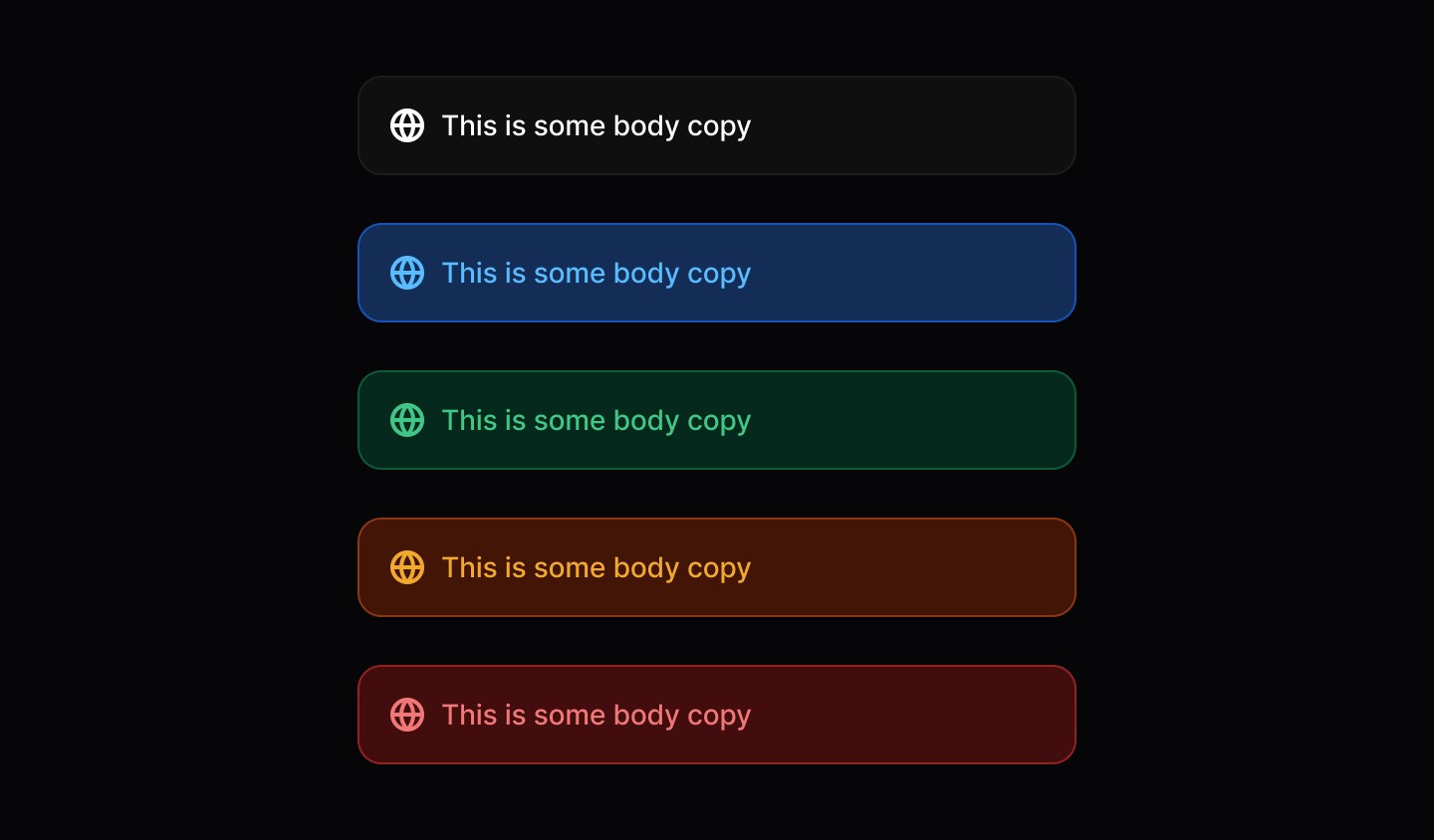
Variants

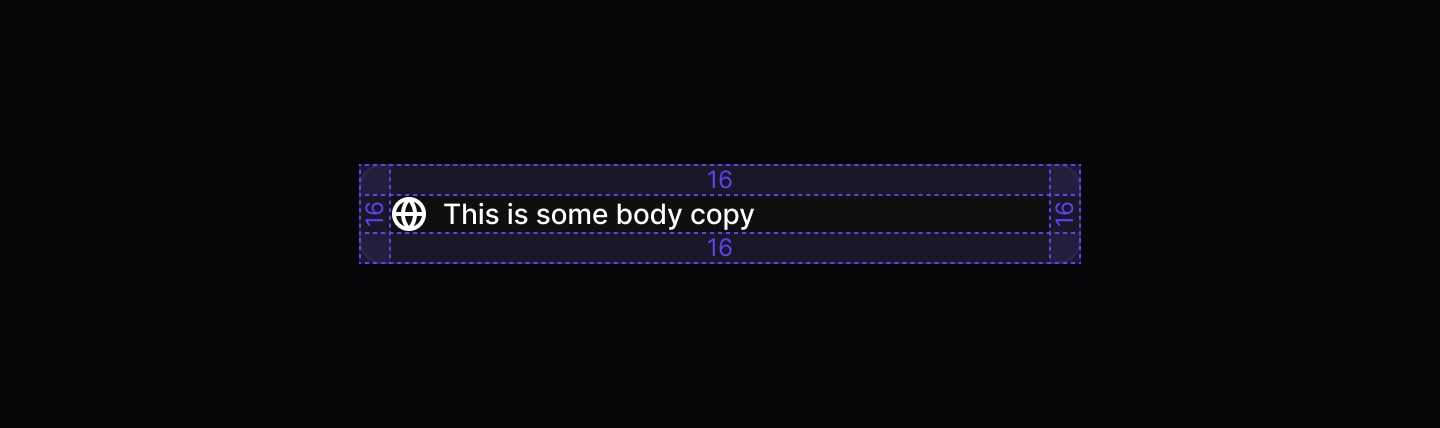
Spacing
When to use | When not to use |
|---|---|
✅ Use for concise messages that clearly state the notification’s purpose. | ⛔️ Avoid using for minor or temporary messages, use a Toast instead. |
✅ Apply for critical updates that need user attention or action. | ⛔️ Don’t auto-dismiss a notification; let the user dismiss or act on it. |
✅ Include only one clear call to action per notification. | ⛔️ Don’t use for error messages unless absolutely required prefer a Banner for error states. |
Anatomy
Element | Description |
|---|---|
| Lucide Icon globe |
| Label text of the badge component |
| Button component |
Variants
Spacing
When to use | When not to use |
|---|---|
✅ Use for concise messages that clearly state the notification’s purpose. | ⛔️ Avoid using for minor or temporary messages, use a Toast instead. |
✅ Apply for critical updates that need user attention or action. | ⛔️ Don’t auto-dismiss a notification; let the user dismiss or act on it. |
✅ Include only one clear call to action per notification. | ⛔️ Don’t use for error messages unless absolutely required prefer a Banner for error states. |
Anatomy
Element | Description |
|---|---|
| Lucide Icon globe |
| Label text of the badge component |
| Button component |
Variants
Spacing
Continue reading
Get in touch
Got a project in mind? Let’s chat. I’m always keen to hear about new ideas, collaborations, or challenges you’re looking to solve. Drop me a message and we can explore how to bring your vision to life together.
Get in touch
Got a project in mind? Let’s chat. I’m always keen to hear about new ideas, collaborations, or challenges you’re looking to solve. Drop me a message and we can explore how to bring your vision to life together.
Get in touch
Got a project in mind? Let’s chat. I’m always keen to hear about new ideas, collaborations, or challenges you’re looking to solve. Drop me a message and we can explore how to bring your vision to life together.