Search…
Search…
Notification
Live
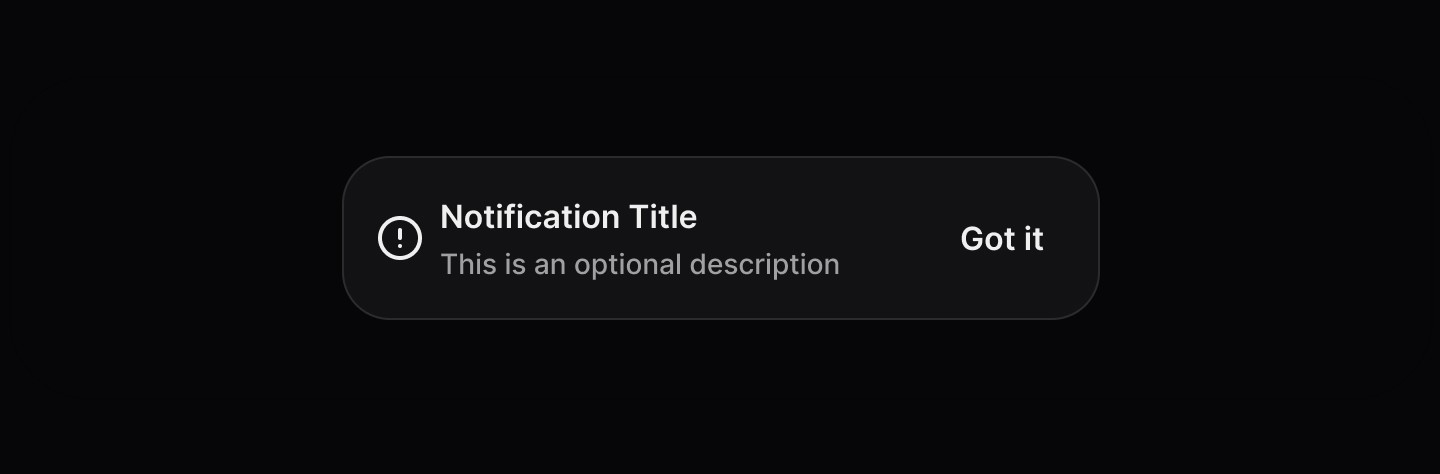
Use notifications to confirm actions, share timely updates, and communicate process status. Keep messages concise and easy to scan, ensuring information is valuable but not critical. When actions are included, prioritise non-destructive options and make destructive actions clearly distinct.
AA
WCAG 2.1 accessibility compliant
Notification
Live
Use notifications to confirm actions, share timely updates, and communicate process status. Keep messages concise and easy to scan, ensuring information is valuable but not critical. When actions are included, prioritise non-destructive options and make destructive actions clearly distinct.
AA
WCAG 2.1 accessibility compliant
Notification
Use notifications to confirm actions, share timely updates, and communicate process status. Keep messages concise and easy to scan, ensuring information is valuable but not critical. When actions are included, prioritise non-destructive options and make destructive actions clearly distinct.
Live in Storybook

Live in Storybook
Live in Storybook
View Figma Designs

View Figma Designs
View Figma Designs
Accordions are useful for structuring content efficiently while keeping interfaces minimal. They should be used when users don’t need to see all content at once but require easy access to specific sections.
When to use | When not to use |
|---|---|
✅ Use for short messages that describe the purpose of the notification. | ⛔️ Don’t use for transient or unimportant messages. Consider using a Toast instead. |
✅ Use for important updates that require user action/attention. | ⛔️ Don't remove a notification until a user has explicitly dismissed, or acted on the notification. |
✅ Provide a single call to action within the notification. |
Anatomy
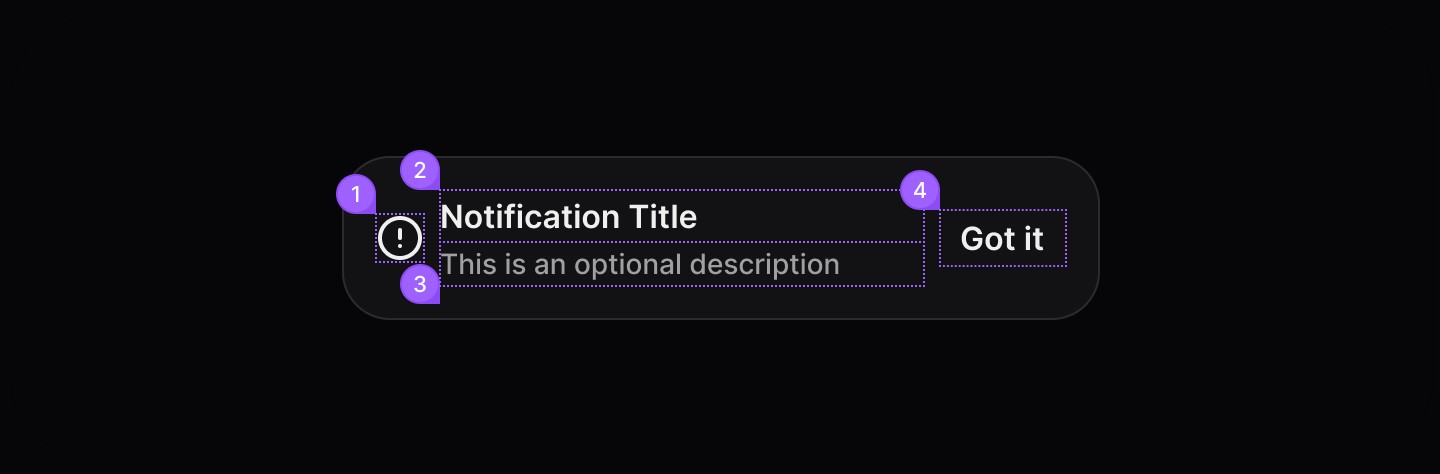
Element | Description |
|---|---|
| Lucide circle-alert |
| Notification title text |
| Notification description text |
| Tertiary button |
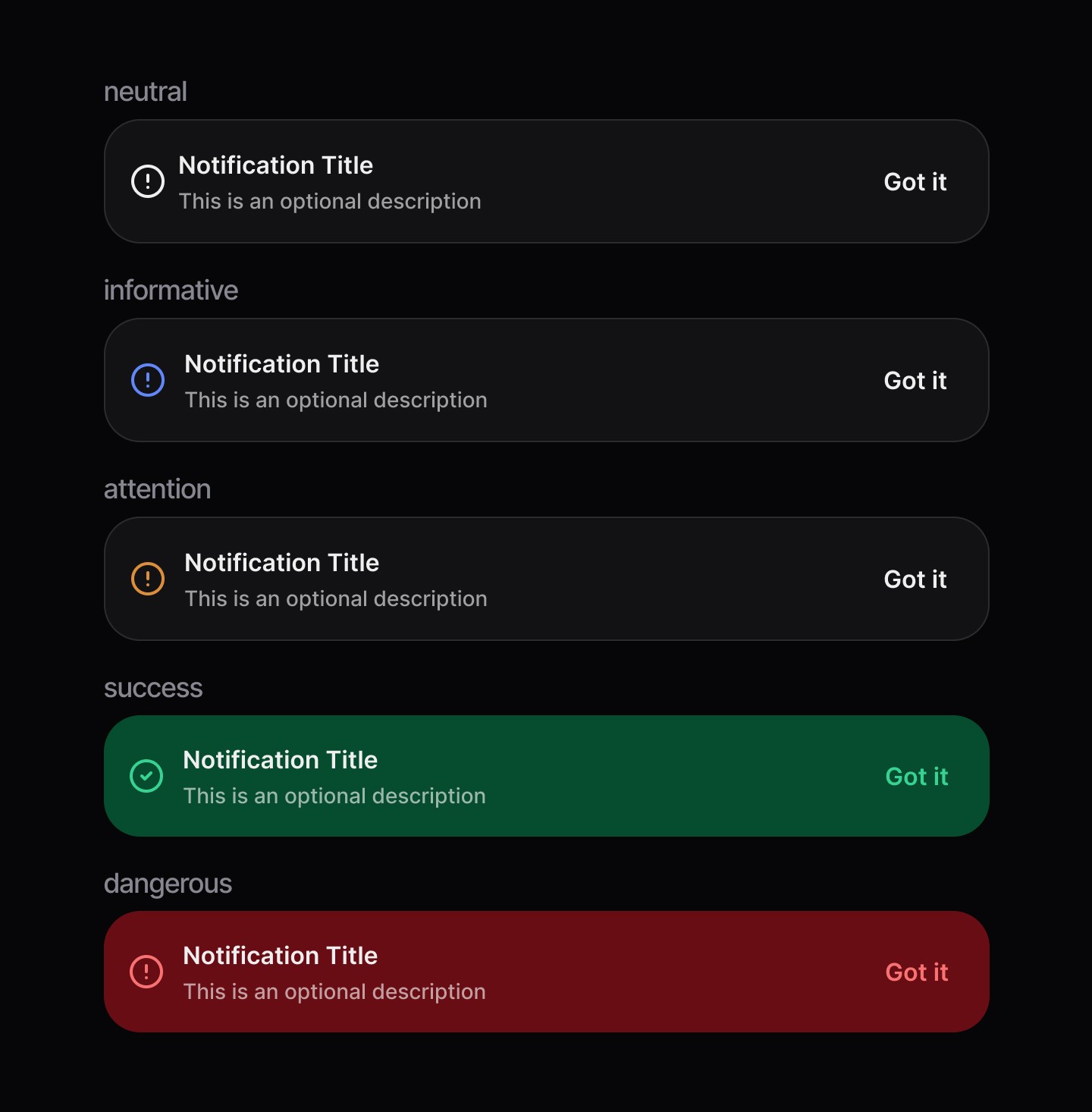
States
Spacing
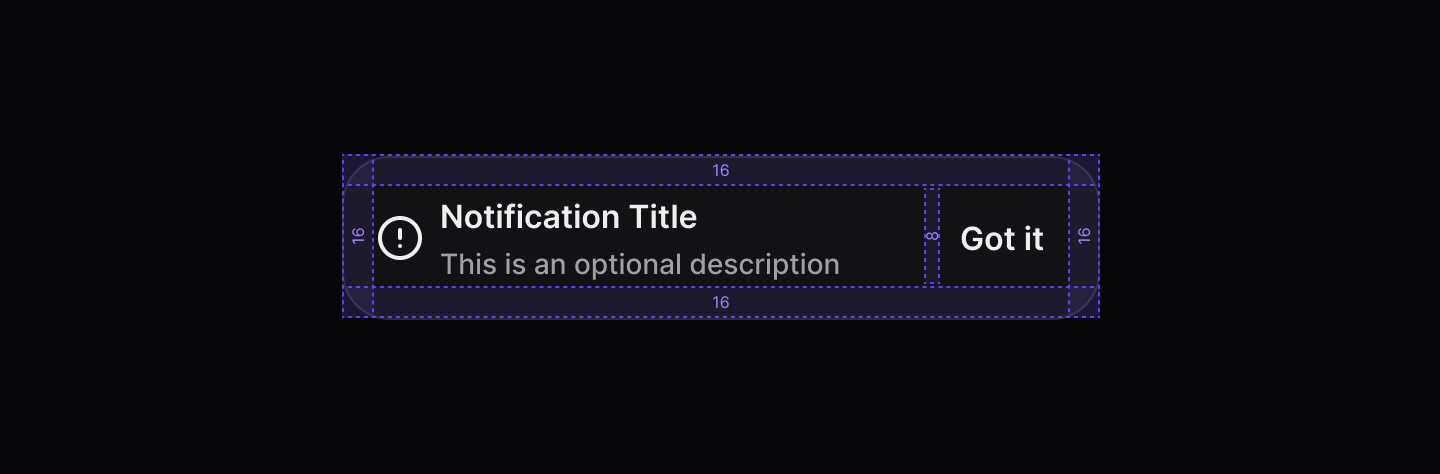
Accordions are useful for structuring content efficiently while keeping interfaces minimal. They should be used when users don’t need to see all content at once but require easy access to specific sections.
When to use | When not to use |
|---|---|
✅ Use for short messages that describe the purpose of the notification. | ⛔️ Don’t use for transient or unimportant messages. Consider using a Toast instead. |
✅ Use for important updates that require user action/attention. | ⛔️ Don't remove a notification until a user has explicitly dismissed, or acted on the notification. |
✅ Provide a single call to action within the notification. |
Anatomy
Element | Description |
|---|---|
| Lucide circle-alert |
| Notification title text |
| Notification description text |
| Tertiary button |
States
Spacing
Accordions are useful for structuring content efficiently while keeping interfaces minimal. They should be used when users don’t need to see all content at once but require easy access to specific sections.
When to use | When not to use |
|---|---|
✅ Use for short messages that describe the purpose of the notification. | ⛔️ Don’t use for transient or unimportant messages. Consider using a Toast instead. |
✅ Use for important updates that require user action/attention. | ⛔️ Don't remove a notification until a user has explicitly dismissed, or acted on the notification. |
✅ Provide a single call to action within the notification. |
Anatomy
Element | Description |
|---|---|
| Lucide circle-alert |
| Notification title text |
| Notification description text |
| Tertiary button |
States
Spacing
Continue reading
Get in touch
Got a project in mind? Let’s chat. I’m always keen to hear about new ideas, collaborations, or challenges you’re looking to solve. Drop me a message and we can explore how to bring your vision to life together.
Get in touch
Got a project in mind? Let’s chat. I’m always keen to hear about new ideas, collaborations, or challenges you’re looking to solve. Drop me a message and we can explore how to bring your vision to life together.
Get in touch
Got a project in mind? Let’s chat. I’m always keen to hear about new ideas, collaborations, or challenges you’re looking to solve. Drop me a message and we can explore how to bring your vision to life together.