
Search…
Search…
Toggle
Live
Allow users to switch between mutually exclusive content panes or toggle between multiple configurations within the same view.
AA
WCAG 2.1 accessibility compliant
Toggle
Live
Allow users to switch between mutually exclusive content panes or toggle between multiple configurations within the same view.
AA
WCAG 2.1 accessibility compliant
Toggle
Allow users to switch between mutually exclusive content panes or toggle between multiple configurations within the same view.
Live in Storybook

Live in Storybook
Live in Storybook
Figma Designs

Figma Designs
Figma Designs

Using the toggle selects a label from the set and deselects the previously chosen option. The tile behind the active segment slides along the track to sit behind the newest selection.
When to use | When not to use |
|---|---|
✅ Use to let users select one option from a set of closely related choices, with the selection applied instantly. | ⛔️ Don’t put other interactive elements (such as buttons or links) inside a label. |
Anatomy

Element | Description |
|---|---|
| Toggle component |
| Lucide Icon |
| Active toggle label text |
| Toggle component |
| Toggle component |
| Toggle component |
States
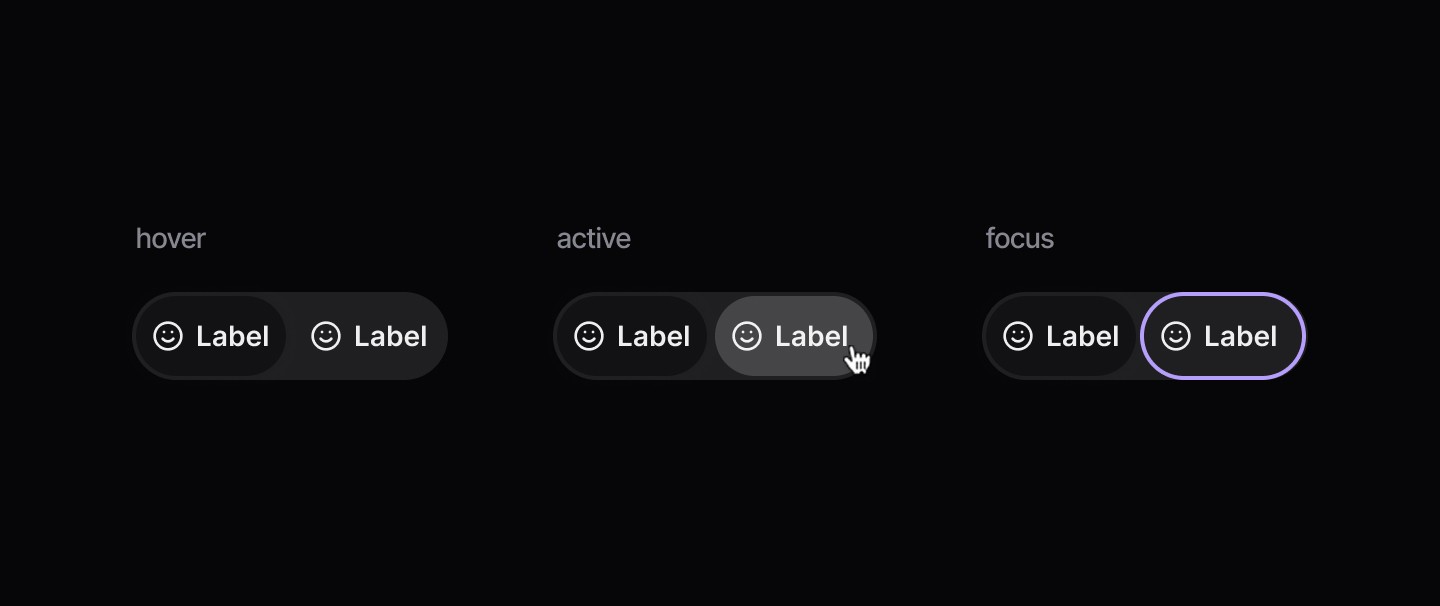
Sizes
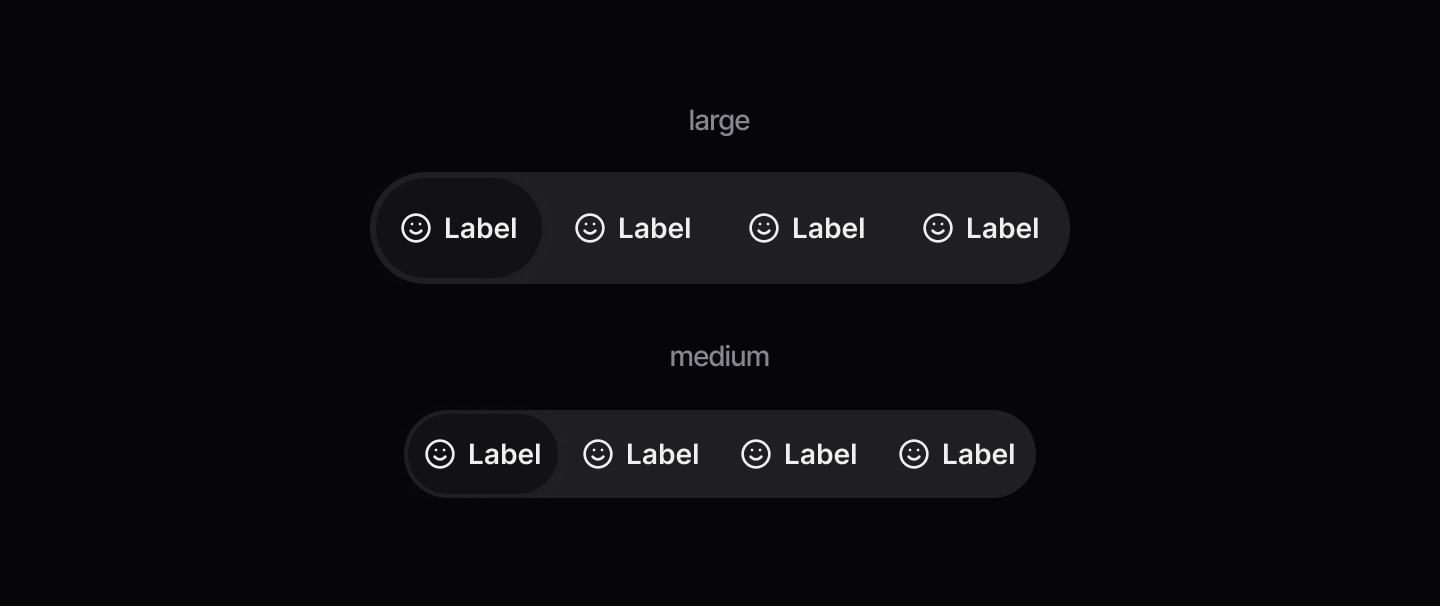
Disabled
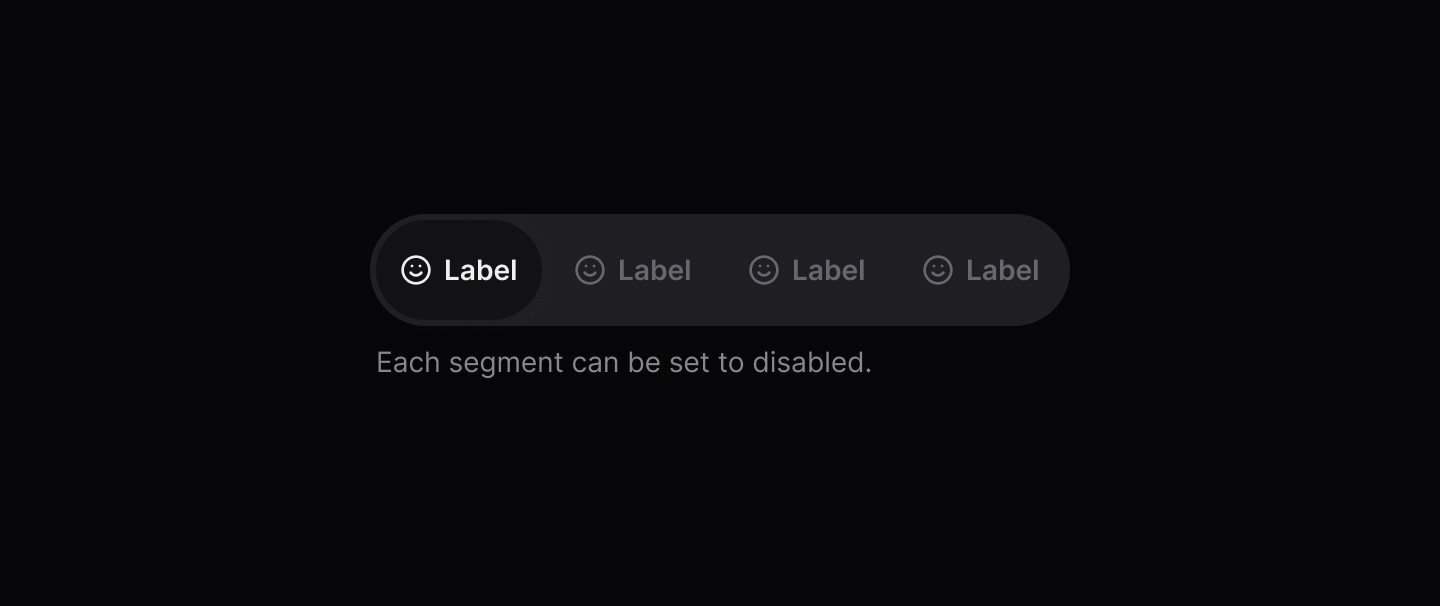
Spacing

Using the toggle selects a label from the set and deselects the previously chosen option. The tile behind the active segment slides along the track to sit behind the newest selection.
When to use | When not to use |
|---|---|
✅ Use to let users select one option from a set of closely related choices, with the selection applied instantly. | ⛔️ Don’t put other interactive elements (such as buttons or links) inside a label. |
Anatomy
Element | Description |
|---|---|
| Toggle component |
| Lucide Icon |
| Active toggle label text |
| Toggle component |
| Toggle component |
| Toggle component |
States
Sizes
Disabled
Spacing
Using the toggle selects a label from the set and deselects the previously chosen option. The tile behind the active segment slides along the track to sit behind the newest selection.
When to use | When not to use |
|---|---|
✅ Use to let users select one option from a set of closely related choices, with the selection applied instantly. | ⛔️ Don’t put other interactive elements (such as buttons or links) inside a label. |
Anatomy
Element | Description |
|---|---|
| Toggle component |
| Lucide Icon |
| Active toggle label text |
| Toggle component |
| Toggle component |
| Toggle component |
States
Sizes
Disabled
Spacing
Continue reading
Get in touch
Got a project in mind? Let’s chat. I’m always keen to hear about new ideas, collaborations, or challenges you’re looking to solve. Drop me a message and we can explore how to bring your vision to life together.
Get in touch
Got a project in mind? Let’s chat. I’m always keen to hear about new ideas, collaborations, or challenges you’re looking to solve. Drop me a message and we can explore how to bring your vision to life together.
Get in touch
Got a project in mind? Let’s chat. I’m always keen to hear about new ideas, collaborations, or challenges you’re looking to solve. Drop me a message and we can explore how to bring your vision to life together.