
Search…
Search…
Stepper
Live
Allow users to adjust values with small changes using stepper buttons, or enter larger values directly by typing into the input field.
AA
WCAG 2.1 accessibility compliant
Stepper
Live
Allow users to adjust values with small changes using stepper buttons, or enter larger values directly by typing into the input field.
AA
WCAG 2.1 accessibility compliant
Stepper
Allow users to adjust values with small changes using stepper buttons, or enter larger values directly by typing into the input field.
Live in Storybook

Live in Storybook
Live in Storybook
Figma Designs

Figma Designs
Figma Designs

Use a stepper for gradual increases or decreases in value. Always define a minimum and maximum range. The increment can be adjusted but must remain consistent and use whole numbers.
When to use | When not to use |
|---|---|
✅ Always use whole numbers. | ⛔️ Don't use decimals in the value. |
✅ Always define minimum and maximum limits, and set the default to the value most commonly used. | ⛔️ Don't allow the stepper to have no limits. |
States
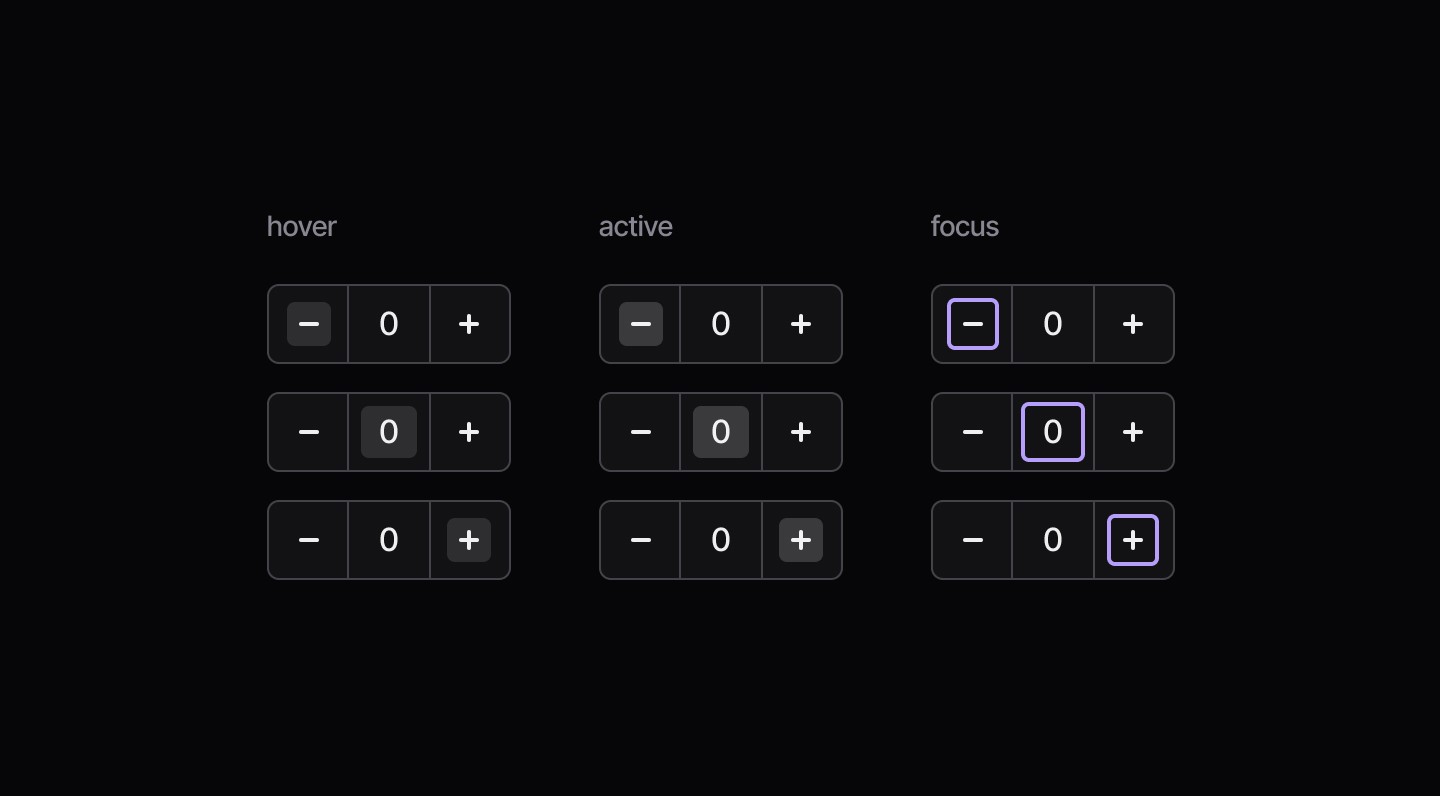
Feedback
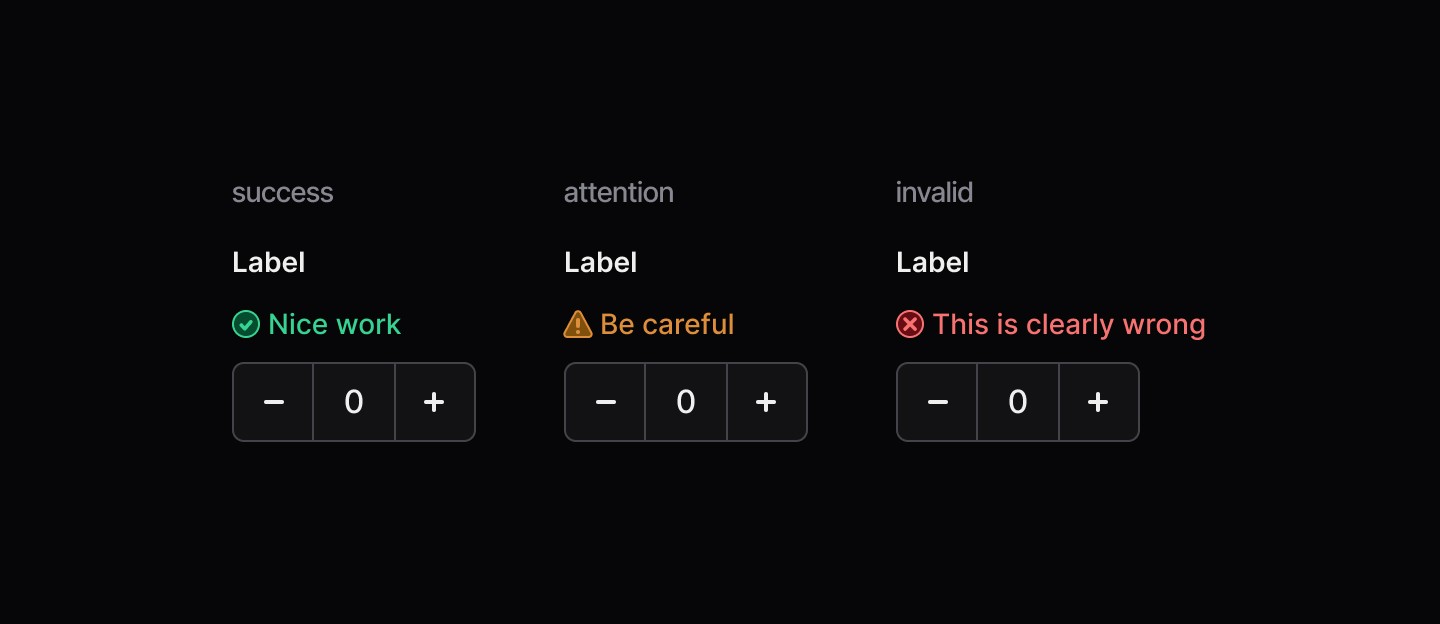
Width
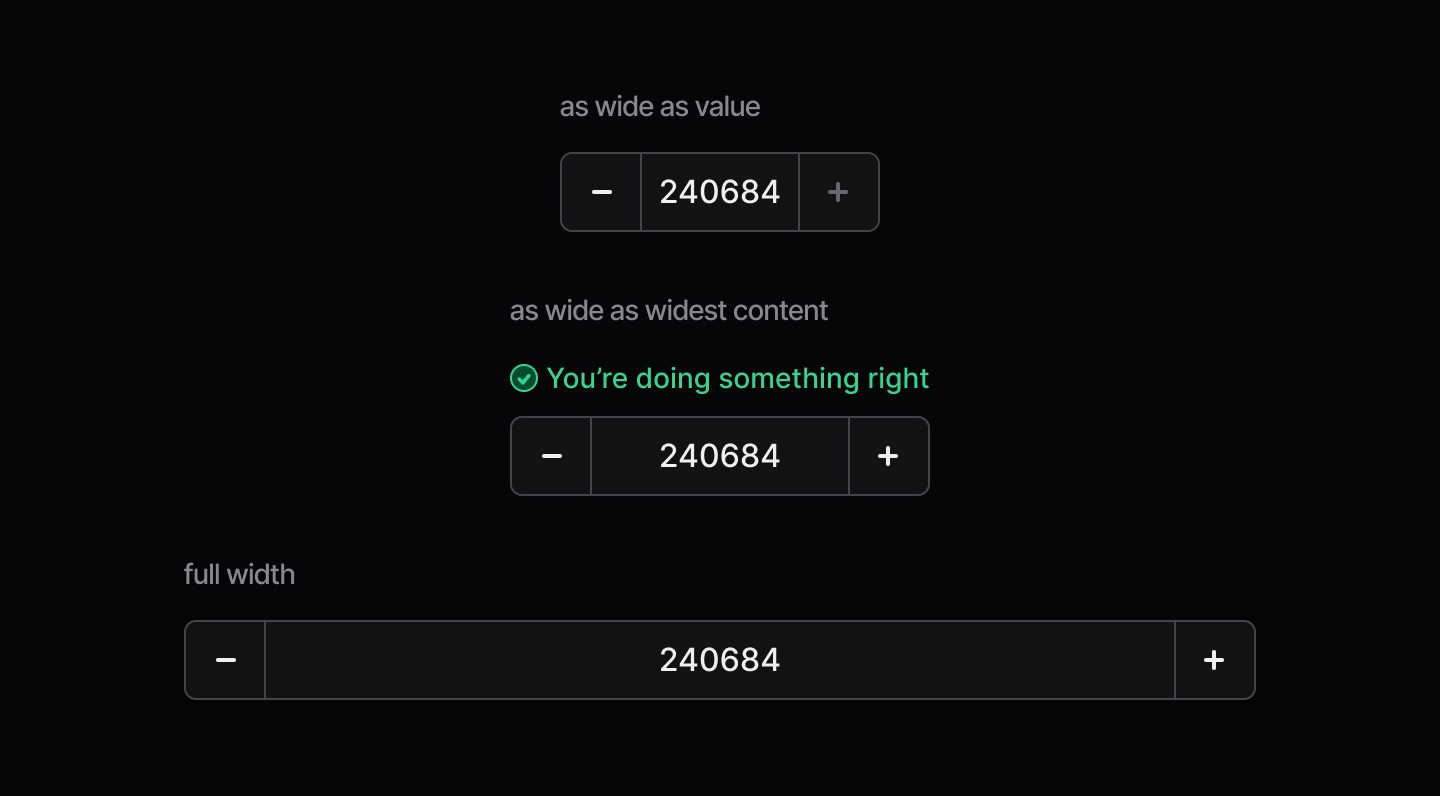
Use a stepper for gradual increases or decreases in value. Always define a minimum and maximum range. The increment can be adjusted but must remain consistent and use whole numbers.
When to use | When not to use |
|---|---|
✅ Always use whole numbers. | ⛔️ Don't use decimals in the value. |
✅ Always define minimum and maximum limits, and set the default to the value most commonly used. | ⛔️ Don't allow the stepper to have no limits. |
States
Feedback
Width
Use a stepper for gradual increases or decreases in value. Always define a minimum and maximum range. The increment can be adjusted but must remain consistent and use whole numbers.
When to use | When not to use |
|---|---|
✅ Always use whole numbers. | ⛔️ Don't use decimals in the value. |
✅ Always define minimum and maximum limits, and set the default to the value most commonly used. | ⛔️ Don't allow the stepper to have no limits. |
States
Feedback
Width
Continue reading
Get in touch
Got a project in mind? Let’s chat. I’m always keen to hear about new ideas, collaborations, or challenges you’re looking to solve. Drop me a message and we can explore how to bring your vision to life together.
Get in touch
Got a project in mind? Let’s chat. I’m always keen to hear about new ideas, collaborations, or challenges you’re looking to solve. Drop me a message and we can explore how to bring your vision to life together.
Get in touch
Got a project in mind? Let’s chat. I’m always keen to hear about new ideas, collaborations, or challenges you’re looking to solve. Drop me a message and we can explore how to bring your vision to life together.