Search…
Search…
Accordion
Live
An accordion is a UI component that organizes content into collapsible sections, allowing users to expand or collapse information as needed. It helps keep interfaces clean and structured by displaying only relevant content at a given time.
AA
WCAG 2.1 accessibility compliant
Accordion
Live
An accordion is a UI component that organizes content into collapsible sections, allowing users to expand or collapse information as needed. It helps keep interfaces clean and structured by displaying only relevant content at a given time.
AA
WCAG 2.1 accessibility compliant
Accordion
An accordion is a UI component that organizes content into collapsible sections, allowing users to expand or collapse information as needed. It helps keep interfaces clean and structured by displaying only relevant content at a given time.
Live in Storybook

Live in Storybook
Live in Storybook
Figma Designs

Figma Designs
Figma Designs
By using accordions, you provide a more interactive way for users to explore content at their own pace, reducing cognitive load and improving overall usability. When designed properly, accordions enhance the browsing experience without hiding essential information.
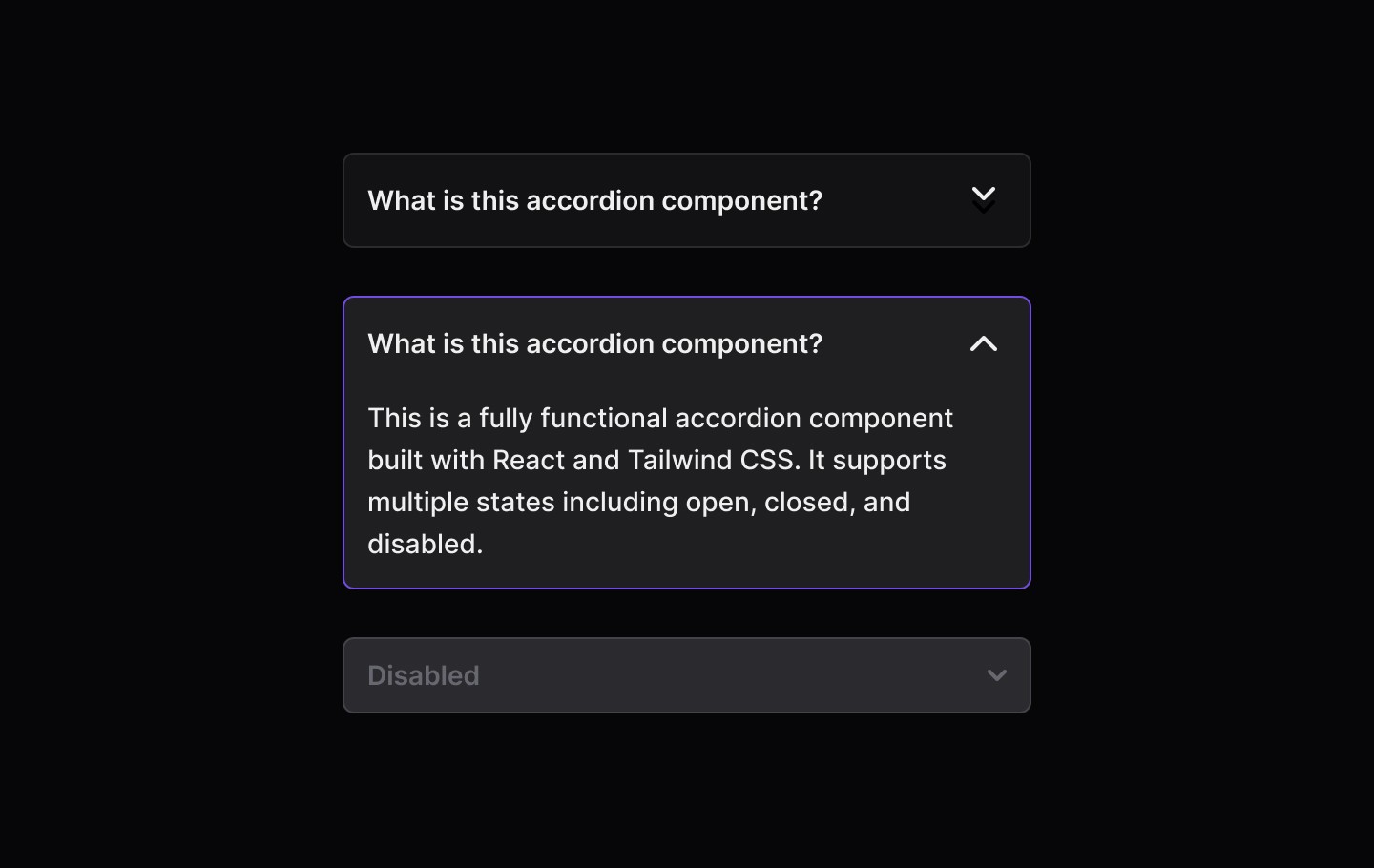
Accordions are useful for structuring content efficiently while keeping interfaces minimal. They should be used when users don’t need to see all content at once but require easy access to specific sections.
When to use | When not to use |
|---|---|
✅ FAQs and Help Sections | ⛔️ For essential content |
✅ Content-heavy pages | ⛔️ Too many nested sections |
✅ Mobile layouts |
Anatomy
Element | Description |
|---|---|
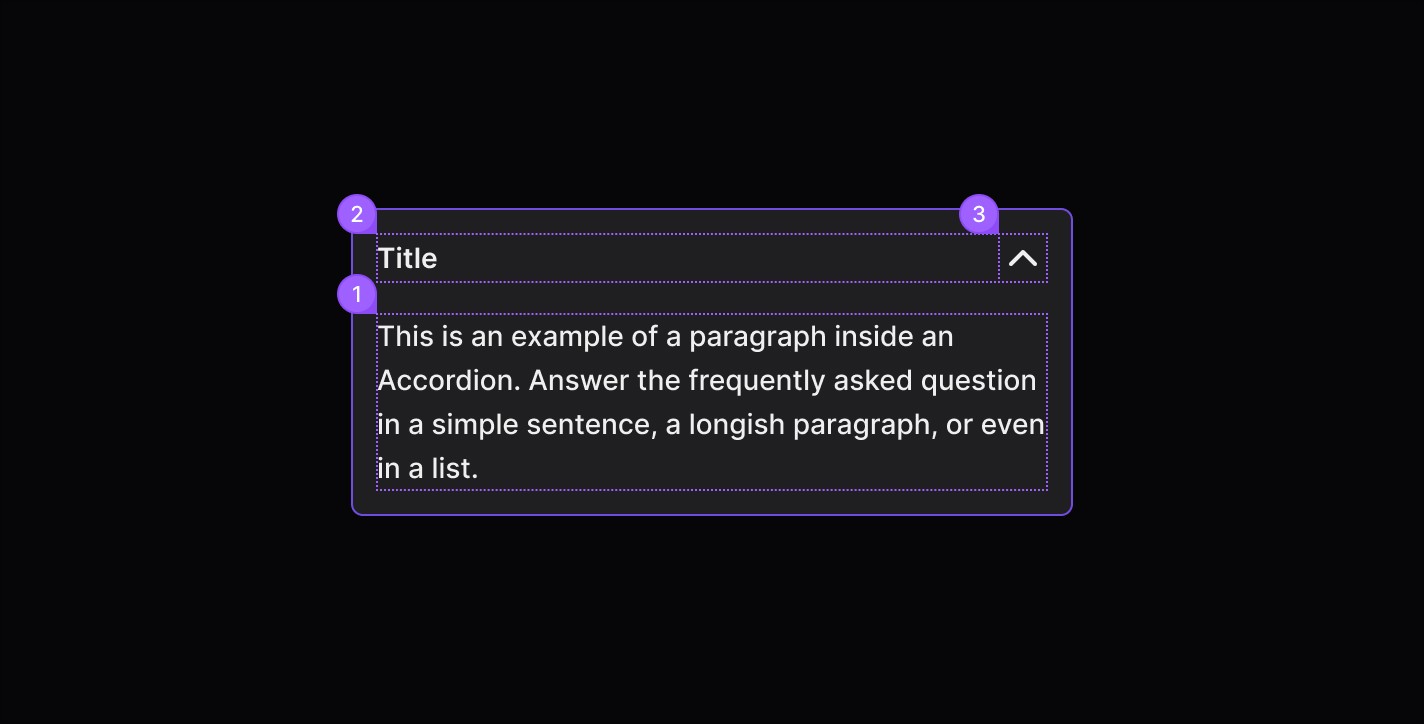
| The title describes the content the row can reveal. Titles are configurable to small (default) or large size. Titles can wrap to multiple lines if needed, but it’s best to keep them concise. |
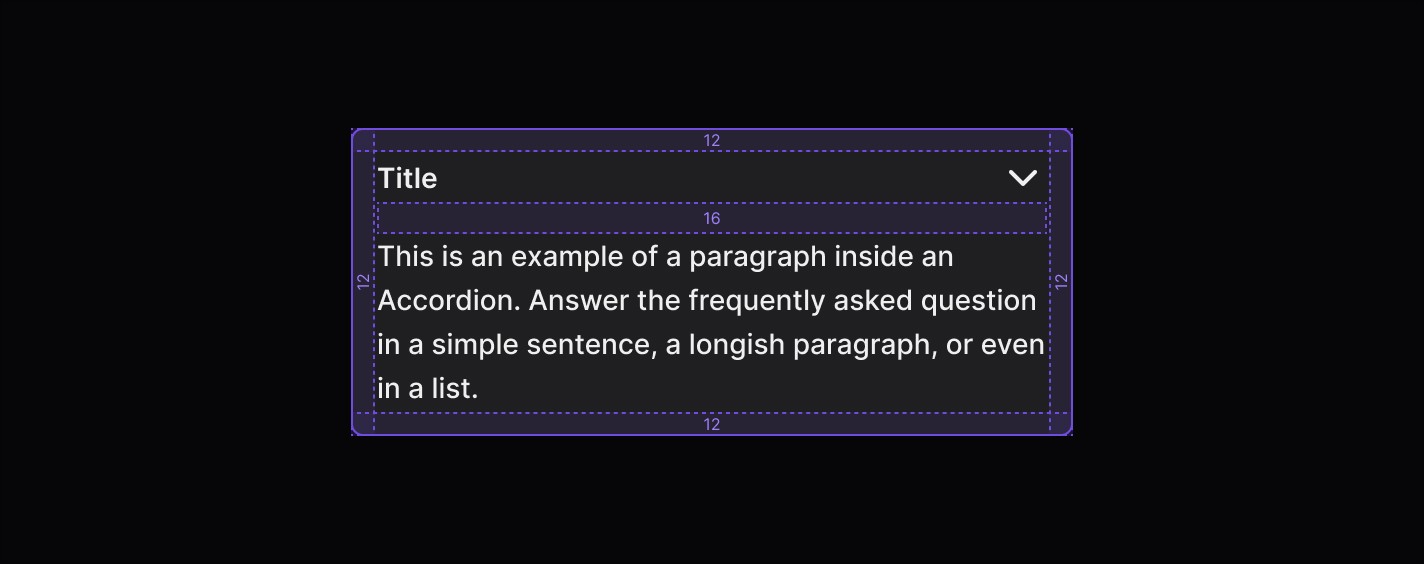
| The content area of an accordion row can include text, images, or other components. The accordion height will flex to fit various types of content. For paragraph text, keep the line length between 40–75 characters (counting both letters and spaces). |
| Lucide Icon |
States
Spacing
By using accordions, you provide a more interactive way for users to explore content at their own pace, reducing cognitive load and improving overall usability. When designed properly, accordions enhance the browsing experience without hiding essential information.
Accordions are useful for structuring content efficiently while keeping interfaces minimal. They should be used when users don’t need to see all content at once but require easy access to specific sections.
When to use | When not to use |
|---|---|
✅ FAQs and Help Sections | ⛔️ For essential content |
✅ Content-heavy pages | ⛔️ Too many nested sections |
✅ Mobile layouts |
Anatomy
Element | Description |
|---|---|
| The title describes the content the row can reveal. Titles are configurable to small (default) or large size. Titles can wrap to multiple lines if needed, but it’s best to keep them concise. |
| The content area of an accordion row can include text, images, or other components. The accordion height will flex to fit various types of content. For paragraph text, keep the line length between 40–75 characters (counting both letters and spaces). |
| Lucide Icon |
States
Spacing
By using accordions, you provide a more interactive way for users to explore content at their own pace, reducing cognitive load and improving overall usability. When designed properly, accordions enhance the browsing experience without hiding essential information.
Accordions are useful for structuring content efficiently while keeping interfaces minimal. They should be used when users don’t need to see all content at once but require easy access to specific sections.
When to use | When not to use |
|---|---|
✅ FAQs and Help Sections | ⛔️ For essential content |
✅ Content-heavy pages | ⛔️ Too many nested sections |
✅ Mobile layouts |
Anatomy
Element | Description |
|---|---|
| The title describes the content the row can reveal. Titles are configurable to small (default) or large size. Titles can wrap to multiple lines if needed, but it’s best to keep them concise. |
| The content area of an accordion row can include text, images, or other components. The accordion height will flex to fit various types of content. For paragraph text, keep the line length between 40–75 characters (counting both letters and spaces). |
| Lucide Icon |
States
Spacing
Continue reading
Get in touch
Got a project in mind? Let’s chat. I’m always keen to hear about new ideas, collaborations, or challenges you’re looking to solve. Drop me a message and we can explore how to bring your vision to life together.
Get in touch
Got a project in mind? Let’s chat. I’m always keen to hear about new ideas, collaborations, or challenges you’re looking to solve. Drop me a message and we can explore how to bring your vision to life together.
Get in touch
Got a project in mind? Let’s chat. I’m always keen to hear about new ideas, collaborations, or challenges you’re looking to solve. Drop me a message and we can explore how to bring your vision to life together.